Your Complete Workspace
— Tools, Templates, News, Exams & APIs
Access professional tools, ready-to-use templates, comprehensive exams, and powerful developer APIs. Your entire digital workspace securely in one place.
Everything in One Place
Tools, templates, past exams, and APIs — your complete digital workspace
How Plainscan Works
Master your entire digital workspace in three simple steps
Explore or Upload
Read the latest global news, select a professional template, take a practice exam, or upload your own files.
Customize & Process
Use our 100+ smart tools to convert and edit documents, or easily customize templates to your exact needs.
Download & Succeed
Instantly download your finished documents, track your exam progress, and stay ahead of the curve.
Professional Ready-to-Use Templates
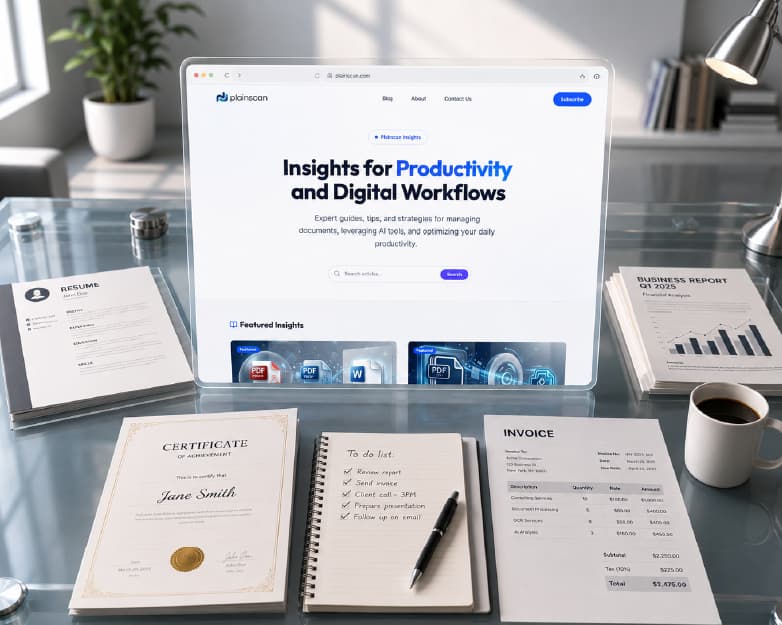
Save time and elevate your documents with our carefully curated library of trending templates. From executive resumes to compliant business invoices, create high-quality, formatted documents instantly.
Trending Templates
Professional Exams & Mock Tests
Accelerate your career and achieve top scores with our comprehensive library of practice exams, detailed mock tests, and certification preparation materials.
Master Your Certification with Dynamic Mock Tests
Don't just read the material—test your knowledge in a simulated environment. Our interactive mock exams adapt to your learning pace, providing real-time scoring and comprehensive feedback to guarantee you're exam-ready.
- Simulated exam environments with customizable difficulty
- Detailed answer explanations to close knowledge gaps
- Performance analytics to track your study progress
- Comprehensive final results and automated grading

Over 1M+ Practice Questions Answered
Smart Document Tools
One part of your workspace — 111 tools to convert, edit, and optimize PDFs, images, and documents.
Power Your Apps with Plainscan API
Integrate our powerful document processing, OCR, and AI capabilities directly into your own applications. Built for developers with comprehensive documentation and a pay-as-you-go pricing model.
- Seamless integration with RESTful endpoints
- Access to all document & AI tools
- 99.9% uptime SLA for production workloads
- Pay only for what you use, starting with a free tier
const response = await fetch('https://api.plainscan.com/v1/ocr', {
  method: 'POST',
  headers: {
    'Authorization': 'Bearer YOUR_API_KEY',
    'Content-Type': 'application/json'
  },
  body: JSON.stringify({
    imageUrl: 'https://example.com/invoice.jpg',
    extractTables: true
  })
});

const data = await response.json();
console.log(data.text);
Built for everyone
Whether you're a student, professional, or running a team — we've got you covered

Students
- Use resume templates for job applications
- Read daily news and stay exam-ready
- Convert lecture PDFs to Word for note-taking
- AI summarize research papers

Professionals
- Sign contracts and use invoice templates
- Follow industry news in one place
- Merge multiple reports into one PDF
- AI format and enhance resumes

Teams
- Share templates across your team
- Track certification exam progress
- Batch convert presentations to PDFs
- Redact sensitive information securely

Developers
- Integrate OCR and PDF tools via API
- Automate document workflows
- Pay-as-you-go developer pricing
- Comprehensive API documentation
Why choose Plainscan?
Lightning Fast
Get work done in seconds across tools, templates, and more
Privacy First
Files auto-delete after 24 hours
Works Anywhere
Fully responsive on all devices
All-in-One
Tools, templates, news, and exams in one workspace
Simple pricing
Start free, upgrade when you need more power
Need more flexibility?
Buy credits when you need them. No subscription required. Credits unlock Pro features and never expire.
Powerful document tools,
in your pocket.
Scan, sign, and edit PDFs directly from your phone. Download the free Plainscan app for a seamless document management experience on the go.
Document & Image Tool
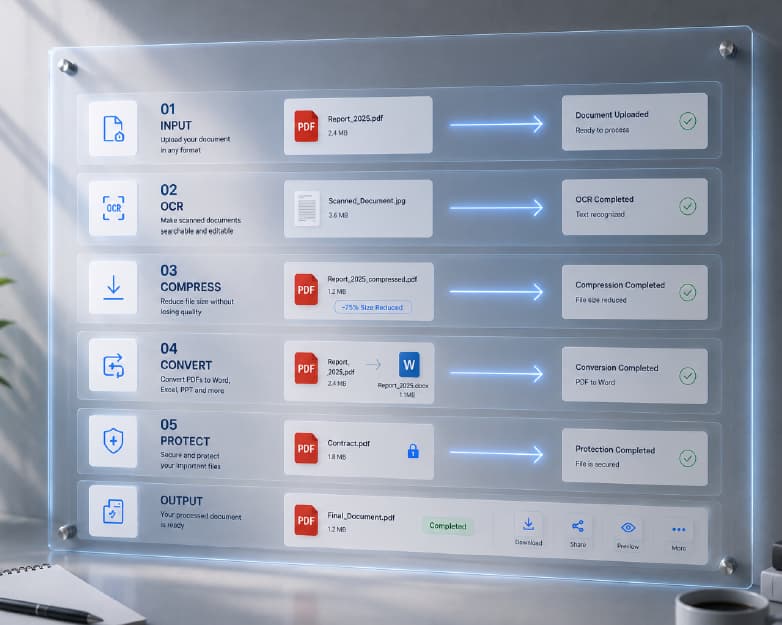
Convert, compress, merge, split, and edit PDFs and images with 111+ secure browser-based tools. From PDF to Word and OCR to AI summarization — handle every document task in one place.
Professional Templates
Skip the blank page. Use ready-made templates for resumes, invoices, certificates, business letters, and more. Customize and download in minutes for work, school, or personal projects.
Powerful Developer APIs
Integrate document processing, OCR, and AI summarization directly into your own applications. Our robust APIs empower developers to automate digital workflows with ease and reliability.
Practice Exams & Certifications
Prepare for professional certifications with practice exams and mock tests. Build confidence before the real exam with structured questions across IT, security, cloud, and project management topics.
Common Questions
Everything you need to know about Plainscan
What is Plainscan?
Plainscan is an all-in-one digital workspace offering document tools, professional templates, and practice exams. Use it for PDF conversion, template creation, and Preparation — all free to start.
Do I need to download any software?
No. All Plainscan tools run directly in your web browser. There is no software to download or install. You can use Plainscan on any device with a modern browser.
Is Plainscan safe to use?
Plainscan processes files on secure servers using encrypted connections (HTTPS). Files are automatically deleted within 24 hours of upload and are never shared with third parties.
How many documents can I process per day?
Yes, after creating a free Plainscan account, users can process up to 4 documents per day using our basic PDF tools (AI features are excluded). This resets every 24 hours. For unlimited daily processing and full AI tool access, upgrading to Pro provides everything you need. View full plan details.
What is the maximum file size?
Free plan users can upload files up to 50 MB in size. Plainscan Pro and Teams plan subscribers have no file size restrictions and can upload documents of any size.
Does Plainscan work on mobile devices?
Yes. Plainscan is fully responsive and works on smartphones and tablets through any modern mobile browser including iOS Safari and Android Chrome without requiring an app download.
Ready to simplify your workflow?
Join thousands using Plainscan for tools, templates, news, and exam prep — all in one workspace