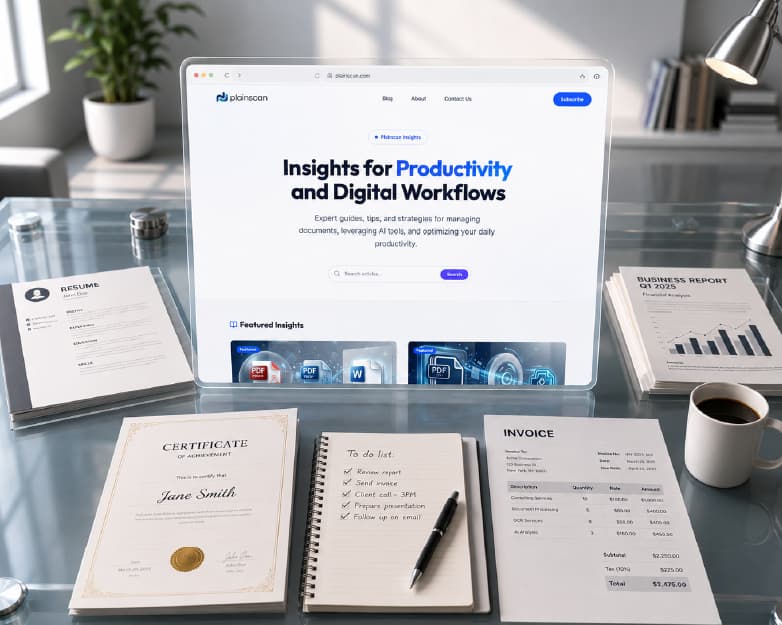
The All-in-One AI-Powered Document and Productivity Platform
Handling documents, files, and images gets complicated fast - a student writing an assignment and an office worker finishing a report run into the same wall: converting files, compressing them, editing PDFs, pulling text out of scanned images. Every one of these is a small task on its own. The problem isn't any individual step - it's that most people end up doing all of them across five different websites, each with its own upload limit, its own interface, and its own account to remember. Plainscan brings the tools for all of it into one place instead of a different website for every task. This piece is about the bigger picture: why an all-in-one platform beats a folder of bookmarked single-purpose tools, what that actually looks like day to day, and who gets the most out of working this way.
Why Juggling Five Tools Slows You Down
A typical workflow might start with converting a document to PDF, then hopping to another site to compress it, another to edit it, another to extract text from a scan, and finally an AI writing tool to clean up the content before sending it. Each step takes a few minutes on its own - upload, wait, download, repeat - but the cumulative friction of moving between five separate services adds up to a lot more lost time than it feels like in the moment.
It's worth actually breaking down where that time goes, because it's rarely the processing itself. A file conversion or a compression pass usually finishes in under thirty seconds regardless of which tool does it. What eats the time is everything around that thirty seconds: finding the right tool again (or re-Googling it because you didn't bookmark it last time), creating yet another account or dismissing yet another "sign up to continue" wall, re-uploading a file you just downloaded from a different site thirty seconds earlier, and reorienting yourself in a completely different interface with different button placements and different terminology for the same basic action.
None of these individual frictions look like much in isolation. Multiplied across a week of document work - and multiplied again across every person on a team doing the same thing independently - it becomes a genuinely significant amount of lost time, spent entirely on tool-switching overhead rather than the actual task.
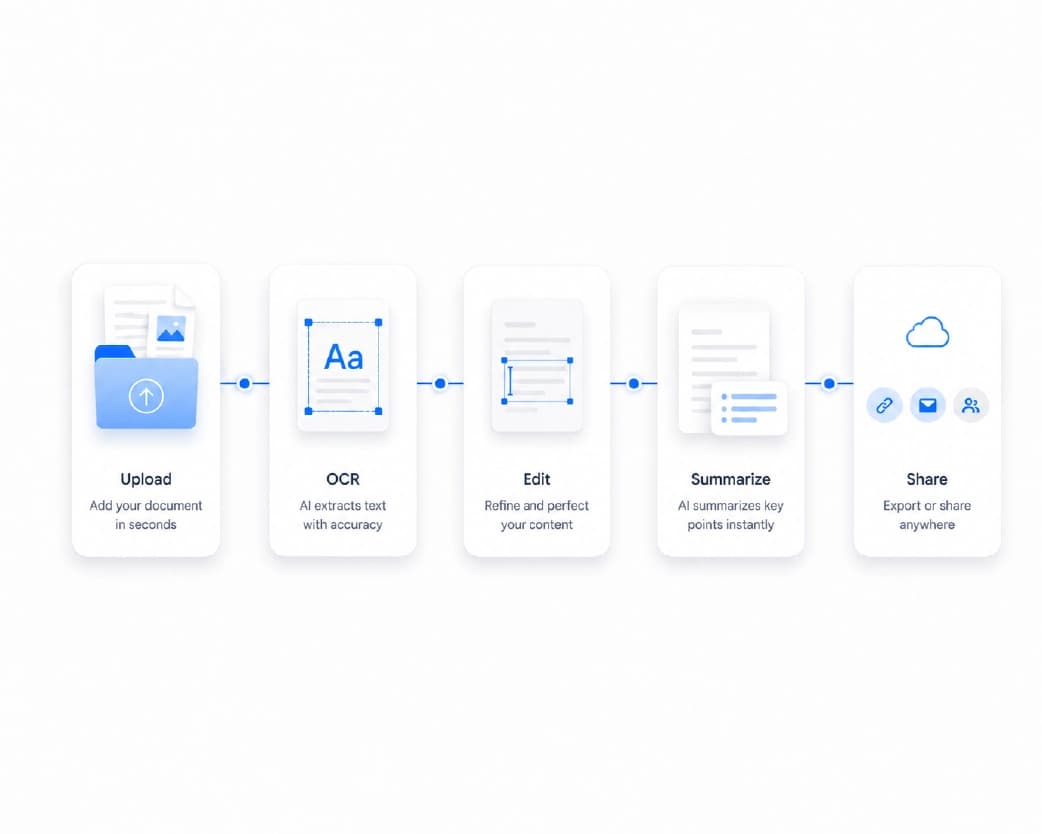
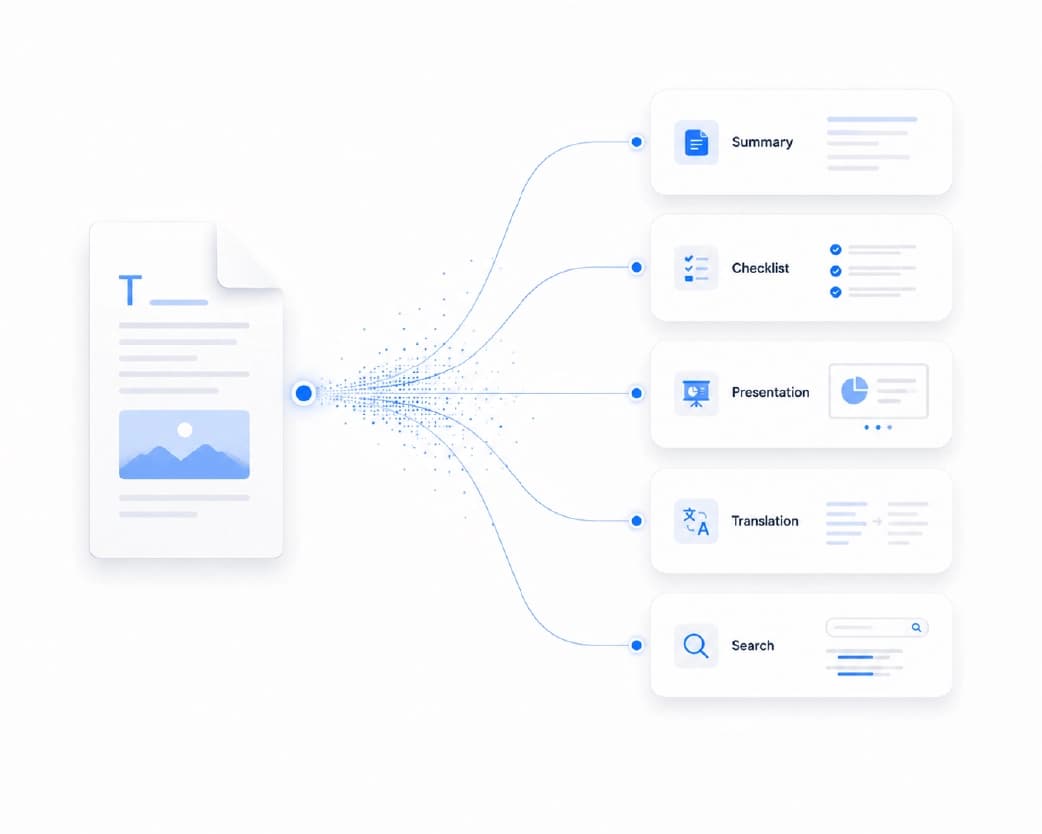
Traditional productivity tools were built to work in isolation - one for converting, one for editing, one for compressing, another entirely for grammar or summarization, another again for checking originality. Each does its one job reasonably well. The problem was never quality at the individual tool level; it was that nobody designed for the fact that real documents rarely need just one operation done to them. A single report might need to be converted, then compressed, then have a section rewritten for clarity, then get password-protected before it goes out - four separate tools, in the old model, for one document's actual journey from draft to delivery.
Plainscan takes the opposite approach: one browser-based interface where a file can move from conversion to editing to compression to AI polish without ever leaving the platform or juggling five different accounts and upload limits. The value isn't that any single tool inside it is dramatically better than every free alternative on the internet - it's that the file doesn't have to keep leaving and re-entering a workflow every time it needs a different kind of processing.
The Real Cost of Fragmented Tools
Beyond the time cost, there are two other costs to the old multi-tool approach that are easy to overlook.
Security exposure compounds with every extra upload. Each time a document gets uploaded to a different website - a converter here, a compressor there, an editor somewhere else - that's a separate server, a separate privacy policy, and a separate set of questions about how long the file is retained and what happens to it. A workflow that touches five different tools has quietly handed a copy of the same document to five different companies, each with its own security practices, rather than one platform with one set of answers to those questions.
Inconsistency creeps in when different tools handle the same operation slightly differently. A PDF compressed on one site and merged on another might come out with subtly different metadata, formatting quirks, or file structure than if the entire chain had run through one consistent processing pipeline. This rarely causes a visible problem, but it's the kind of small inconsistency that occasionally surfaces at an inconvenient moment - a merged file that behaves oddly in a specific viewer, a converted document with a formatting quirk nobody can quite trace back to its source.
Subscription sprawl is a real cost too, even when each individual tool is technically free. "Free" tools frequently gate their more useful features - batch processing, higher file size limits, faster processing - behind a paid tier. Maintaining five separate free-tier relationships, and occasionally five separate small subscriptions, tends to cost more in aggregate than one platform covering the same ground under a single plan.
None of this means every single-purpose tool is a bad choice - for a genuinely one-off task, a dedicated free tool found through a quick search is often perfectly fine. The calculation changes once document work becomes a recurring part of what someone actually does, rather than an occasional annoyance.
AI's Role in Everyday Productivity
Modern AI doesn't replace judgment - it handles the repetitive parts: summarizing long documents, tightening up writing, pulling text out of scans, checking for plagiarism, organizing information faster than doing it by hand. The distinction matters, because it's easy to either overstate or understate what AI is actually doing in a document workflow.
What AI is genuinely good at, in this context, is compression of effort on well-defined, repetitive tasks. Reading a forty-page report to extract the three things that matter, retyping a scanned page of text, catching a grammar mistake buried in paragraph twelve, checking a document against a database of previously published material - these are all tasks that used to require either a lot of manual attention or a specialized human reviewer, and AI now handles the bulk of the mechanical work involved.
What it doesn't replace is the judgment layer on top - deciding what a summary should emphasize for a specific audience, deciding whether a legal document's phrasing actually says what it needs to say, deciding which version of a rewritten paragraph fits the intended tone. AI tools inside a document platform work best when they're positioned as accelerants for that judgment, not substitutes for it - which is the actual design philosophy behind how AI is woven through Plainscan's tools rather than being bolted on as a separate, disconnected feature.
As more work moves digital, this kind of AI assistance has gone from a nice-to-have to close to a baseline expectation in any serious document platform. A platform that doesn't offer at least some AI-assisted writing and extraction capability increasingly looks incomplete next to one that does, the same way a spreadsheet tool without basic formula support would look incomplete today even though formulas weren't always a given feature either.
What's Actually Inside Plainscan
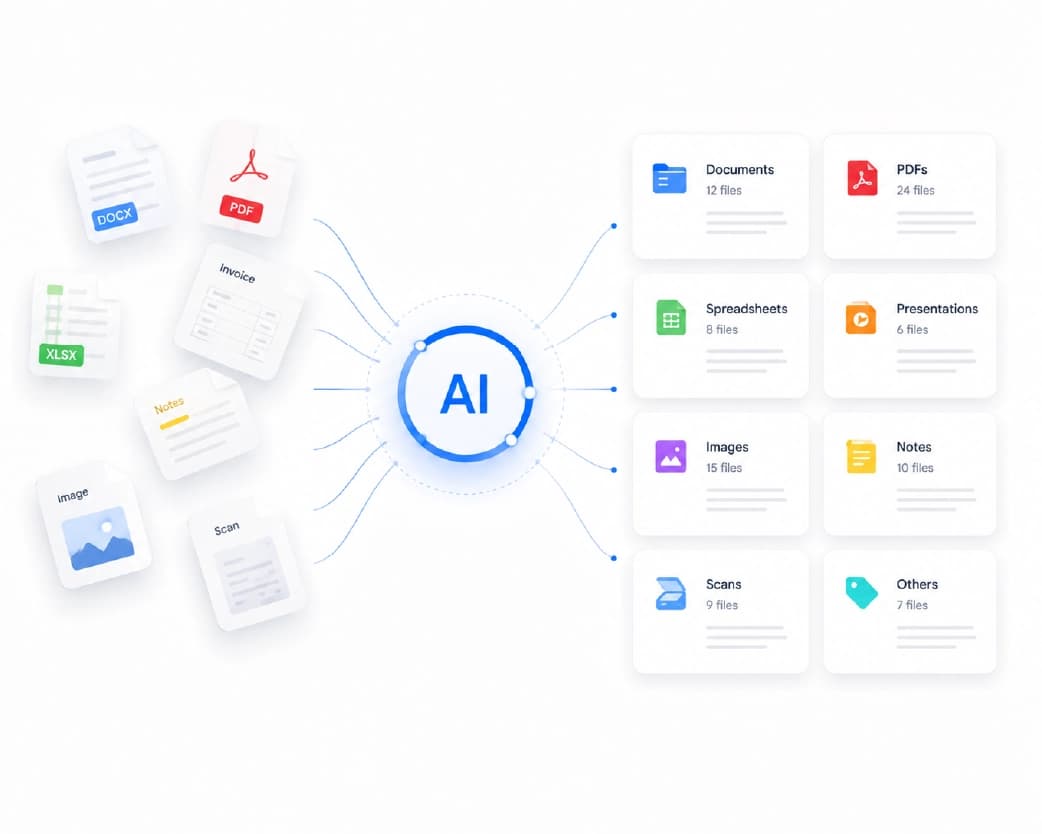
Rather than re-explain every tool here, here's the short version of each:
- PDF editing, merging, and splitting - modify text, combine files, or pull out specific pages without special software.
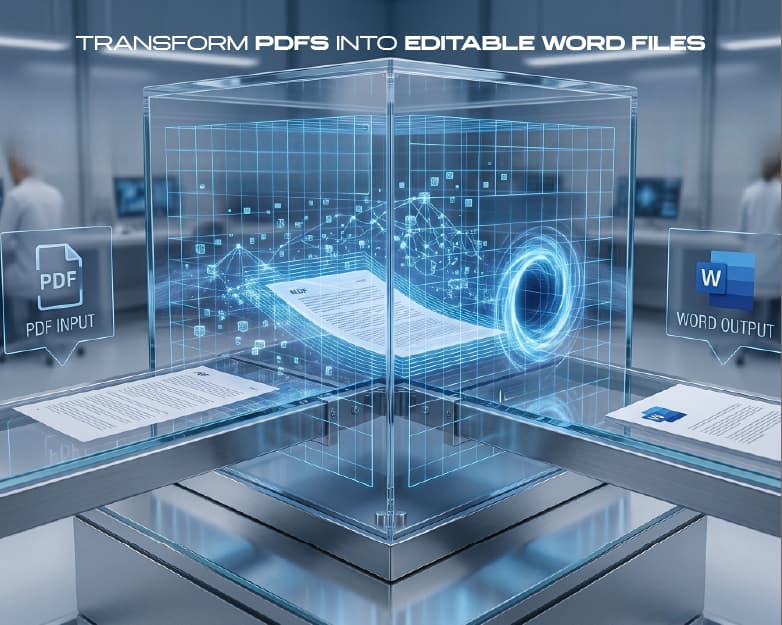
- File conversion - PDF to Word, PDF to Excel, PDF to PowerPoint, and back again, without formatting breaking in transit.
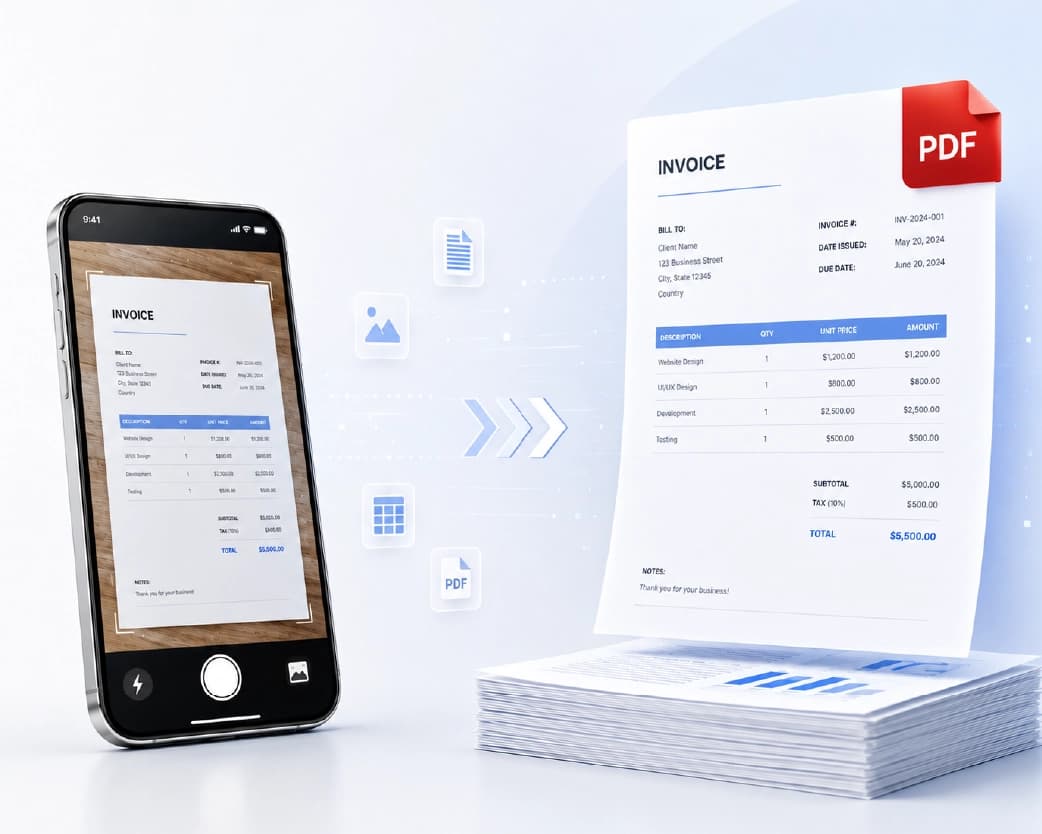
- OCR - turn scanned pages, photographed documents, and handwritten notes into searchable, editable text.
- AI writing tools - grammar correction, rewriting for clarity, summarizing long reports, and AI-content/plagiarism detection, all built into the same workspace.
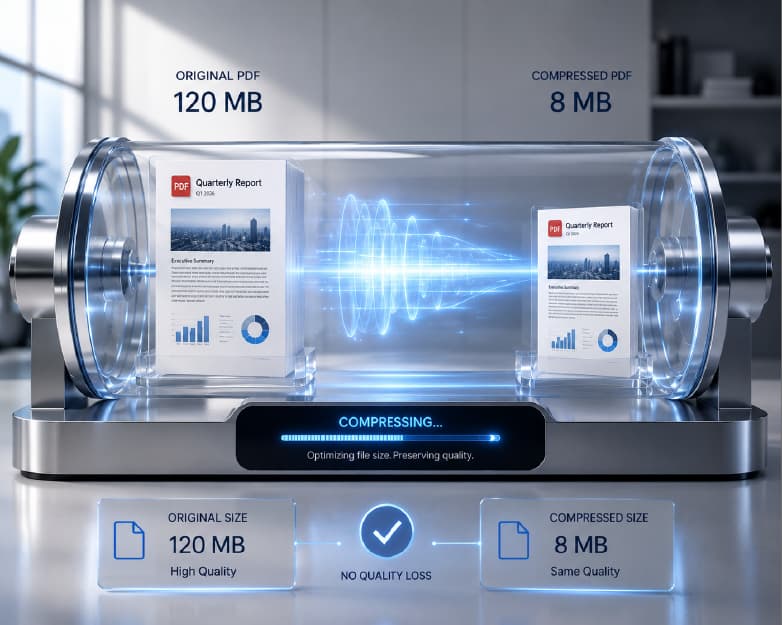
- Compression - shrink PDFs, images, and video for email limits and upload portals without visible quality loss.
- Image tools - background removal, resizing, passport photos, and upscaling.
- Signing and security - sign PDFs without printing, and password-protect sensitive files.
All of it runs in the browser - no installation, no software updates, works the same whether you're on a desktop at the office or a laptop at home.
What Makes a Platform Genuinely Integrated, Not Just Bundled
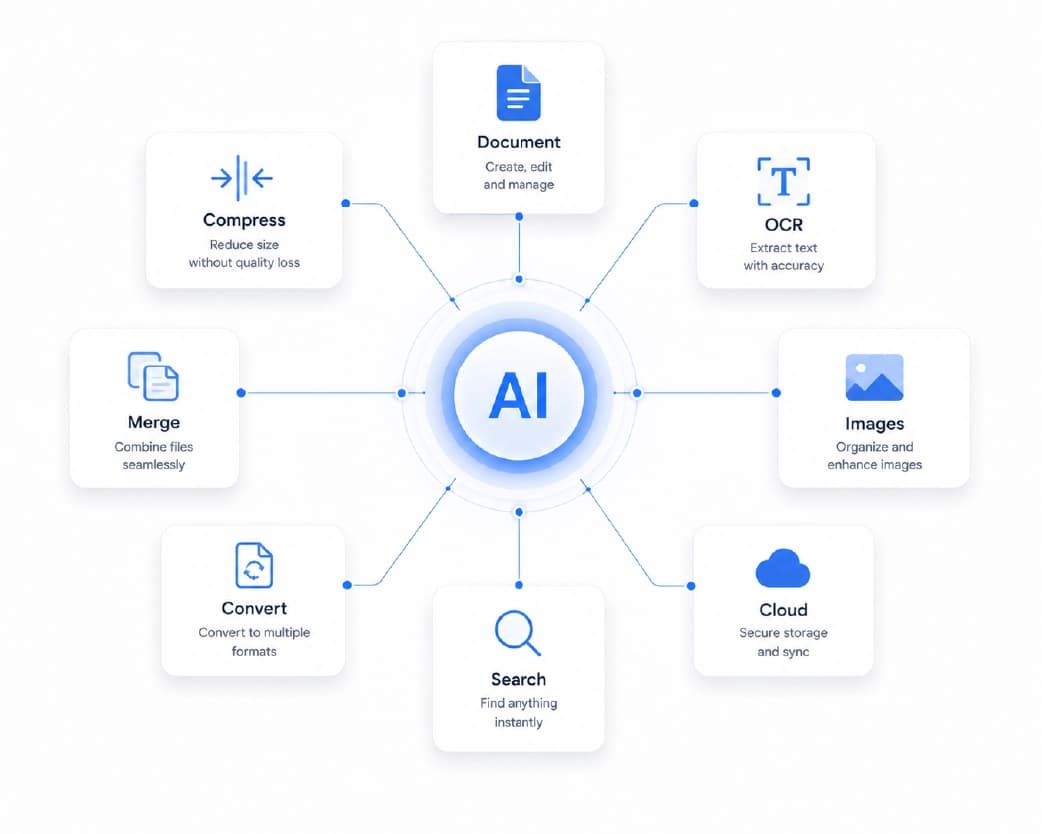
Not every "all-in-one" tool actually delivers on that promise. A lot of bundled platforms are, underneath, a marketing wrapper around a collection of separate tools that don't actually share anything - no shared file handling, no consistent interface, no ability to move a document from one function to the next without still downloading and re-uploading it internally.
A genuinely integrated platform is one where a document can move between functions without leaving the workspace - where converting a file, then compressing it, then having AI clean up a paragraph, happens as one continuous sequence rather than three separate downloads and uploads that just happen to be listed on the same website. That distinction is easy to overlook when comparing tools at a glance, since a feature list looks the same either way, but it's the entire difference between a platform that actually saves time and one that just centralizes the marketing without centralizing the workflow.
Who Actually Uses Plainscan This Way
This is where an all-in-one platform earns its keep - not in any single tool, but in how differently each type of user actually puts the full set together. The value isn't uniform across users; it shows up differently depending on what someone's actual document workload looks like.
Students
move from OCR-ing lecture notes, to summarizing research papers, to compressing a finished assignment for a portal upload limit - often in the same sitting, sometimes in the final hour before a deadline. Having all three in one place instead of three separate tabs is the actual time saver, not any one feature alone. Academic work in particular tends to generate documents in inconsistent formats - a scanned handout here, a professor's PDF slide deck there, a group project that needs several people's separate documents merged into one submission - which makes the breadth of tools available matter more than any single one being exceptional.
Educators and institutions
prepare lesson plans, question banks, presentations, and worksheets, often needing to convert and reformat the same material across multiple formats for different platforms - a lesson plan that needs to exist as both an editable Word document for internal use and a locked-down PDF for distribution to students, for instance. One tool covering the whole chain avoids re-uploading the same file five times across a term, and OCR specifically matters for institutions digitizing older printed material that predates digital-first course design.
Office professionals
cycle through proposals, reports, and financial documents that need editing, converting, compressing, and reviewing before they ever reach a stakeholder's inbox. The AI writing tools tend to matter most here - grammar and clarity checks on external-facing communication carry real professional weight, and catching an error before a document goes to a client is a meaningfully different outcome than catching it after.
Businesses
use it as shared infrastructure - contracts, invoices, employee files, and marketing material all move through the same conversion, compression, and writing-assistance pipeline instead of each department picking its own tool independently. This matters more than it might sound: when every department separately chooses its own document tools, the organization ends up with no consistent way to answer basic questions about where company documents have been uploaded, which is exactly the kind of fragmentation a shared platform is meant to solve.
HR and admin teams
handle a huge volume of recurring paperwork - CVs, employment agreements, onboarding materials, ID cards, performance review documentation - where standardizing on one platform keeps the process consistent across every new hire rather than reinventing the document workflow department by department. The repetitive, high-volume nature of HR paperwork specifically benefits from a platform where the same operation (say, converting an offer letter template to PDF, or compressing a batch of scanned ID documents) can be repeated quickly without relearning a process each time.
Freelancers
don't have an admin team, so the time spent hunting for the right tool comes directly out of billable hours in a way it doesn't for someone on salary. Conversion, editing, compression, and AI writing help in one place means more time on the actual client work and less on the administrative overhead of finding and re-learning tools. For freelancers juggling multiple clients simultaneously, the consistency of one interface across every client's documents also reduces the mental overhead of context-switching between projects.
Creative professionals
- designers, marketers, content creators, photographers - combine image resizing, background removal, and document prep constantly when putting together campaign materials, presentations, or portfolios. A marketing campaign alone might need resized product photography, a background removed from a hero image, a proposal document converted to PDF, and a final report compressed for email - four different operations that would otherwise mean four different tools interrupting a creative workflow that's already juggling client feedback and deadlines.
Researchers and academics
lean hardest on OCR (digitizing printed sources and older archival material), AI summarization (triaging a stack of papers to decide what's worth reading in full), and plagiarism checking (protecting the integrity of their own writing before submission) - often on the same document in sequence, since a single research paper might move through all three stages between being sourced and being cited in original work.
Legal teams
need precision and confidentiality above all - merging exhibits into a single case file, extracting specific clauses from a larger agreement, and preparing documentation where getting the process right matters considerably more than doing it fast. The password-protection and security features carry more weight here than in most other contexts, given the sensitivity of the material typically involved.
Finance teams
move reports, invoices, and audit documents between formats constantly, usually before sending them somewhere further outside the organization - clients, regulators, auditors, external accountants - where consistent, professional formatting actually matters to how the document is received. Compression also plays a bigger role here than it might elsewhere, since financial reporting periods often mean sending large batches of documentation on a deadline, where upload limits become a real bottleneck rather than a minor inconvenience.
Healthcare administrators
handle the substantial non-clinical paperwork side of a practice - registration forms, insurance paperwork, compliance documentation, internal reporting - that still needs standard document tools even though it's a separate world from the clinical systems that manage actual patient medical data. The volume of this administrative paperwork in a typical healthcare setting is often underestimated relative to the clinical side, and it still needs efficient handling.
Government and public-sector
use shows up in citizen-facing processes - passport photo preparation, form conversion, document organization for benefits or licensing applications - where a standardized format is often a hard requirement rather than a preference, and getting it wrong means a rejected application and a delay that falls on the person who submitted it, not the institution.
Everyday personal use
covers the same ground on a smaller scale - insurance paperwork, utility bills, travel documents, school registration forms for kids, tax documents - the same underlying tasks as the professional contexts above, just without an office or an IT department around them to make the tooling decision on someone's behalf.
What This Looks Like in Practice
- A student finishing a final-year project might OCR their scanned lecture notes, summarize a stack of research articles with AI, merge several reference PDFs into one file, and compress the finished assignment before submission - four different tasks, one platform, no re-uploading between steps and no separate account required for each stage of the process.
- A freelancer delivering to an international client might convert a document, clean up the writing with AI, resize a few images for a proposal, and compress the whole package for a fast upload on a client portal with a strict size limit - a similar chain of tasks, different context, same underlying value of not breaking flow to switch tools mid-project.
- A small business preparing a client proposal might pull together a presentation, format a contract as PDF, resize marketing images to fit a specific layout, run the final draft through an AI rewrite pass for clarity, and compress the finished package before sending - a sequence that would otherwise mean five separate site visits, now handled as one continuous process from first draft to delivered file.
- A healthcare administrator processing new patient registrations might scan and OCR handwritten intake forms, compress a batch of ID documents for secure digital filing, and convert a completed form to a standardized digital format for the practice's records - routine, repetitive, and exactly the kind of task where tool-switching overhead adds up fastest across a busy week.
Browser-Based vs. Desktop Software: What Actually Changes
It's worth being specific about what "browser-based" actually buys you beyond the obvious convenience, because the difference is bigger than it initially sounds.
Desktop software requires installation on every device it's used from, which means keeping multiple installations updated, dealing with compatibility issues between operating systems, and often paying for licenses that only cover a fixed number of machines. A person working from a home laptop, an office desktop, and occasionally a borrowed device at a library or client site would traditionally need to either install the same software three times or simply not have access to their usual tools on two out of three of those devices.
A browser-based platform sidesteps all of that. The tool is the same regardless of which device opens it, there's no installation step standing between deciding to do something and actually doing it, and there's no separate update cycle to manage across multiple machines. This matters more than it used to, given how much work now genuinely happens across multiple devices and locations rather than from one fixed desk.
The trade-off, to be fair, is that browser-based tools depend on an internet connection and generally involve uploading a file to a server rather than processing it entirely locally - which is exactly why the privacy and security practices of whichever platform you're using matter, and why it's worth understanding a platform's file retention policy before uploading anything genuinely sensitive.
Choosing Between Free and Paid Access Across a Multi-Tool Workflow
Free tiers across document tools - including Plainscan's - are generally built to comfortably cover occasional, individual use: a handful of conversions or compressions a week, one or two AI summaries a day, enough for a student, a freelancer handling a moderate client load, or anyone whose document work isn't their full-time job.
The calculation shifts once document processing becomes a genuinely daily, high-volume part of someone's role - an office processing dozens of documents a day, a business running recurring reports through the same pipeline every week, an admin team churning through a constant stream of onboarding paperwork. At that volume, a paid tier's higher limits and priority processing stop being a nice-to-have and start being the difference between a tool that fits into a workflow and one that becomes a bottleneck partway through a busy day.
The practical way to think about it: start on the free tier regardless of expected usage, since it costs nothing to find out where your actual usage lands. If a daily or weekly limit starts getting hit consistently rather than occasionally, that's the actual signal to look at a paid tier - not a guess made in advance about what tier "feels right" for a given role.
Security and Compliance Considerations for Teams
For individual, occasional use, the privacy considerations around an online document tool are relatively simple - check that the connection is encrypted, check that files aren't retained indefinitely, and use reasonable judgment about what gets uploaded where. For a team or organization, the considerations get more layered.
An organization adopting a shared document platform is effectively making a decision on behalf of everyone who'll use it about where company documents are allowed to be processed. That's worth treating deliberately rather than letting it happen by accident through individual employees each picking their own preferred tools. A shared platform with a clear, understood retention and security policy is generally a stronger position than a patchwork of individually-chosen tools, precisely because it's one policy to understand and vouch for rather than an unknown number of different ones scattered across however many tools different people happen to be using.
For regulated industries specifically - healthcare, legal, finance - it's worth treating any document platform's privacy practices as something to actually verify against internal compliance requirements before wide adoption, rather than assuming general-purpose consumer tooling automatically satisfies sector-specific obligations. General document tools are usually fine for the bulk of everyday paperwork in these fields; it's the genuinely sensitive subset - protected health information, privileged legal communication, non-public financial data - where that verification step matters most.
Why This Matters More as Work Gets More Distributed
Remote work, hybrid teams, and cross-border collaboration have made where someone works matter a lot less than what they can access from wherever they are. A browser-based platform doesn't care whether it's opened from an office desktop, a laptop at home, or a tablet on a train - that consistency is worth more than it sounds once you've actually had to install desktop software on three different machines just to finish one task, or discovered that a colleague on a different operating system can't open a file the same way you can.
Cross-border teams add another layer to this. A document workflow that depends on a specific piece of installed software becomes a genuine obstacle when team members are spread across different countries, different hardware setups, and sometimes different levels of IT support entirely. A tool that works identically in any modern browser removes that variable from the equation, which matters more the more distributed a team actually is.
Privacy and Document Handling
Documents that move through any online tool - business contracts, employee records, financial statements, health-related paperwork, personal identification - deserve to be handled carefully regardless of which specific tool is doing the work. Plainscan treats this as a baseline expectation of the platform rather than a separate add-on: uploaded files aren't kept indefinitely, and security is built into the workflow rather than bolted on after the fact.
This matters specifically in an all-in-one context because a document moving through several functions in sequence - converted, then compressed, then edited - only has to clear that privacy bar once, at the platform level, rather than at every individual stop along a fragmented multi-tool chain. That's one of the more underrated advantages of consolidating onto a single platform: fewer separate places to trust, rather than the same overall trust bar applied five separate times.
Where AI-Powered Document Platforms Are Headed
The trajectory here is fairly visible already. Document tools are moving from "software that performs an operation you request" toward "software that understands what you're trying to accomplish and handles more of the surrounding steps automatically." A summarization tool that only summarizes when explicitly asked is the current baseline; the next step is tooling that recognizes a long document has landed and proactively offers the summary, or recognizes a scanned upload and automatically routes it through OCR without a separate manual step.
None of this replaces the underlying judgment calls a person makes about their own documents - what to keep, what to send, what to trust - but it continues to compress the mechanical distance between having a document and having it in the state you actually need it in. Platforms that already treat their tools as one connected pipeline rather than a collection of separate features are better positioned for that shift than ones built as a loose bundle of independent tools, simply because the underlying architecture already assumes a document moves through multiple stages rather than being processed once and done.
FAQ
What is Plainscan?
An AI-powered, browser-based platform combining PDF tools, file conversion, OCR, AI writing assistance, image editing, and compression in one workspace, so a document doesn't need to bounce between five different sites to get finished.
Who is Plainscan actually built for?
Students, educators, professionals, freelancers, businesses, researchers, legal and finance teams, healthcare administrators, government offices, and anyone handling personal paperwork - the underlying tasks (convert, edit, compress, write) repeat across all of them, just with different documents attached.
Does Plainscan require software installation?
No - everything runs in the browser, with no installation or updates required, and works the same across devices, whether that's a desktop at an office, a personal laptop, or a tablet.
What's the actual advantage over using several free single-purpose tools?
Mainly time, consistency, and reduced security exposure - one login, one interface, one privacy policy to understand, and a file that can move from conversion to editing to compression without being re-uploaded to a different site (and a different server) at every step.
Is Plainscan suitable for business or team use?
Yes - businesses and teams use it for contracts, reports, employee documentation, image processing, and AI-assisted writing across departments without needing separate subscriptions or separate tool choices for each function.
Is switching to one platform actually faster than using several specialized tools?
For occasional, single-task use, the difference is small. The time savings become significant once a workflow involves more than one operation on the same document - which describes most real document work, since a file rarely needs just one thing done to it.
Does an all-in-one platform mean lower quality on any individual tool?
Not inherently - the relevant comparison is whether each tool inside the platform is genuinely well-built, not whether bundling itself dilutes quality.
How does Plainscan handle sensitive or confidential documents?
Files are processed over encrypted connections and aren't retained indefinitely. For genuinely sensitive material - legal, medical, or financial documents with real regulatory stakes - it's worth checking specific retention and compliance details against your organization's requirements before uploading, the same practice worth following with any online tool.
Can a whole team or organization standardize on Plainscan?
Yes - using one shared platform across a team or department is generally a stronger security and consistency position than each person or department independently choosing their own tools, since it means one policy to understand and vouch for rather than an unknown patchwork of separately-chosen services.
Does Plainscan work the same on mobile as on desktop?
Yes - since everything runs in a browser rather than as installed software, the core functionality is accessible from a mobile browser the same way it is from a desktop, though the more comfortable editing experience for detailed work is generally still desktop or tablet.
What happens if I need a feature Plainscan doesn't currently offer?
Document platforms evolve continuously as user needs shift, and feature sets expand over time. For the current, complete list of available tools, the platform's tools page reflects what's live at any given time more reliably than a static blog post.
Is there a cost to trying Plainscan before committing to a paid plan?
The free tier is built to be genuinely usable on its own for occasional to moderate use, not just a token trial - most individual users, students, and freelancers with a moderate document workload can operate entirely on the free tier without needing to upgrade.
Further Reading:Free ATS Resume Checker: Beat Applicant Tracking Systems
Conclusion
Plainscan exists because managing digital documents shouldn't require five different tabs, five different accounts, and five different privacy policies to finish one task that's really just one document moving through a few necessary steps. Whether the job is a student's assignment, a business proposal, a healthcare practice's intake paperwork, or a freelancer's client deliverable, the underlying tools - conversion, editing, compression, OCR, and AI writing assistance - are brought together in one place instead of scattered across the internet. The actual test of whether an all-in-one platform is worth switching to isn't whether any single tool inside it is the best version of that tool available anywhere - it's whether the combination of having everything in one place, under one set of privacy practices, accessible from any device without installation, saves more time and reduces more friction than the alternative of bookmarking five separate sites and remembering which one does what. Head to Plainscan to get started directly.
Related insights


Get the Plainscan App for iOS & Android