Plainscan vs Smallpdf: An Honest Comparison for 2026
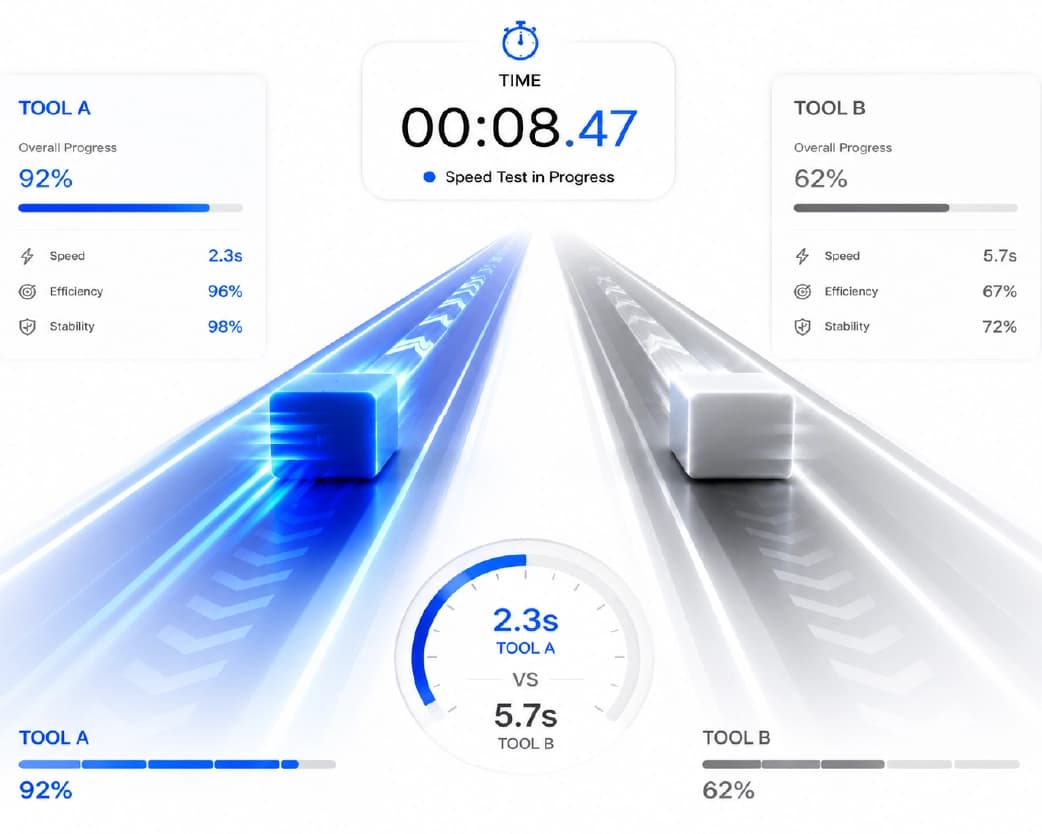
Quick Answer: Smallpdf's free plan caps you at 2 tasks a day and 2 an hour - fine if you touch a PDF once a week, a real bottleneck if you don't. Plainscan's free tier gives you 4 documents a day with no hourly cap, a 50 MB file limit instead of 15 MB, and 15 AI tools that Smallpdf simply doesn't have at any price. If you're comparing the two because you've hit a wall on Smallpdf's free plan, this is that comparison. Smallpdf has been around since 2013 and built one of the most recognizable brands in this space - tens of millions of monthly users, a clean interface, and a reputation as the default answer whenever someone asks for a PDF tool. None of that is undeserved. But the free plan is where the story gets complicated. Two tasks a day. Two tasks an hour. For anyone who touches documents as part of an actual job - not occasionally, but regularly - those limits show up at exactly the wrong moment and nudge you toward a $9/month subscription for things that shouldn't cost anything. This comparison walks through what each platform actually gives you for free, what the tools cover beyond basic PDF operations, where the AI capability gap sits, and which platform fits which kind of user. The numbers below are worth sitting with before you decide.
Continue Reading:PDF to Word, Compression, OCR & More: The All-in-One Document Tool
The Free Tier Problem: A Detailed Analysis
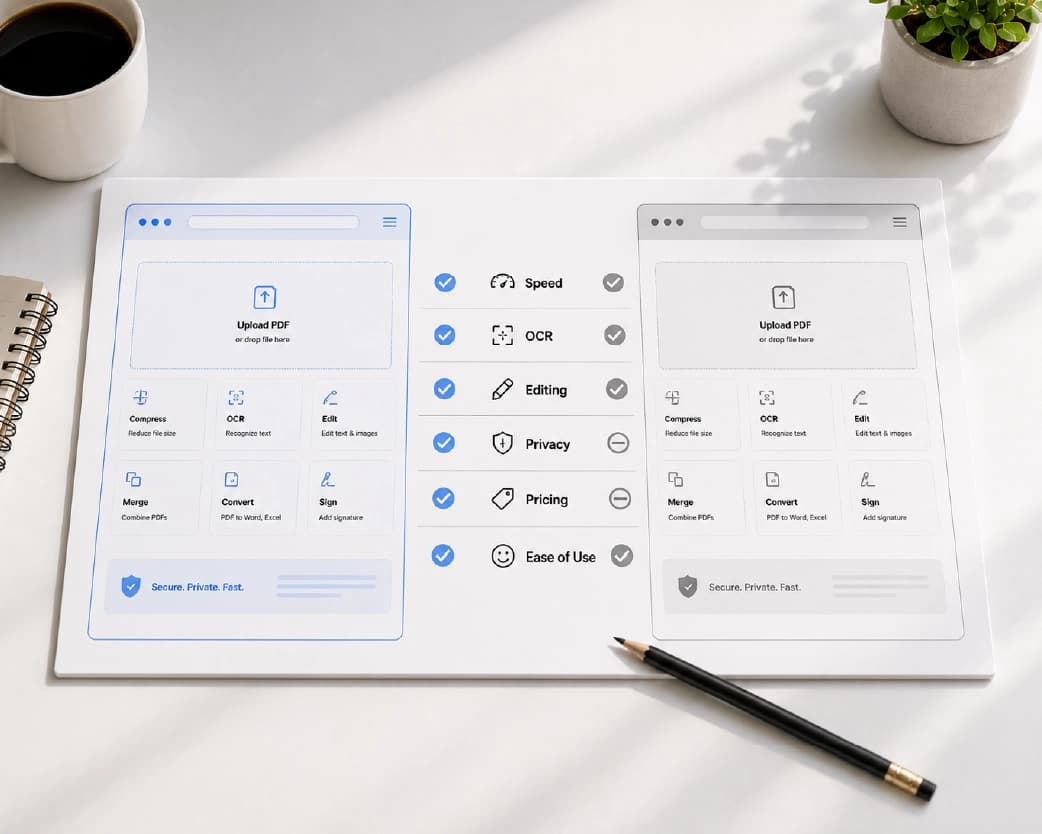
Smallpdf's free tier restrictions deserve specific examination because they are the most significant practical factor in this comparison for most users.
| Restriction | Smallpdf Free | Plainscan Free |
|---|---|---|
| Tasks per day | 2 tasks maximum | 4 documents |
| Tasks per hour | 2 tasks maximum | No limit |
| File size limit | 15 MB per file | 50 MB per file |
| AI features | Not available at any tier | Pay-as-you-go from $2 |
| OCR for scanned docs | Not available free | Yes - 5 dedicated tools |
| Image tools | Not available | 13 tools included |
| Account required | No | No |
| File deletion | 1 hour | 24 hours |
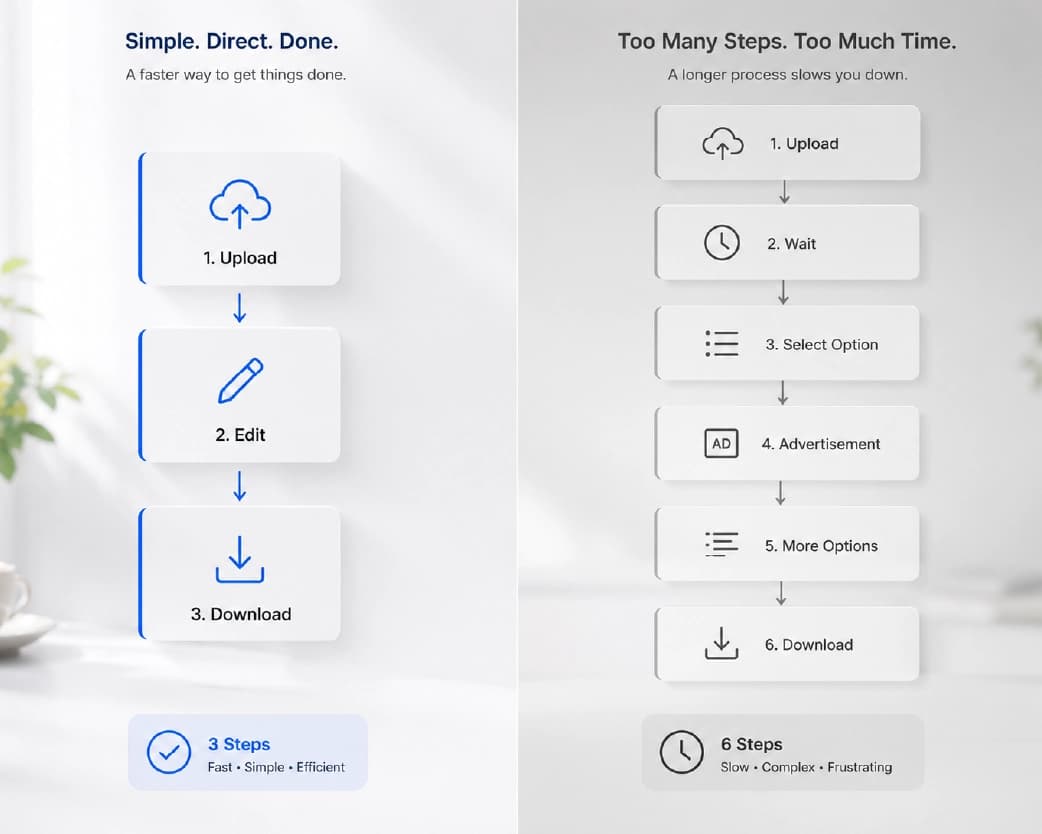
Consider a typical 30-minute work session. A marketing manager needs to compress a presentation PDF before sending to a client, convert a supplier's PDF price list to Excel for editing, and merge two reports before a meeting. That is three tasks. On Smallpdf's free tier, the third task hits the daily limit. On Plainscan, all three complete without any restriction.
Two tasks per hour also creates workflow disruption for anyone who works quickly. The paralegal dealing with several clients' documentation, the teacher producing class materials, or the accountant translating invoices within that period will be confronted by the hourly constraint before lunchtime. This is not an exceptional occurrence. It is the everyday reality of knowledge workers who use document tools as part of their core workflow.
The fundamental issue is that Smallpdf's free tier is designed as a demonstration rather than a working tool. It shows users what the platform can do, then creates pressure to subscribe for real access. Plainscan's free tier is designed to be genuinely usable - 4 documents per day covers the full working day for individual professionals without artificial restriction.
Complete Feature Comparison
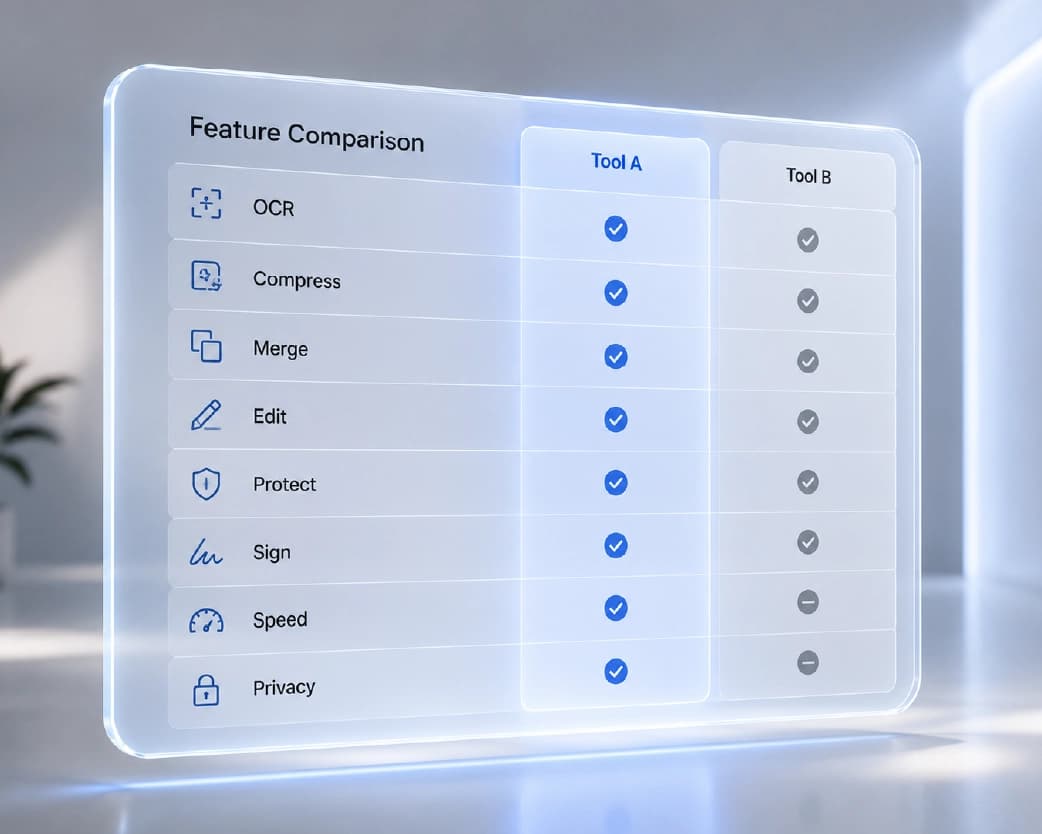
| Feature | Plainscan | Smallpdf |
|---|---|---|
| Total tools | 100 tools | ~21 tools |
| PDF compress | Yes | Yes |
| PDF merge / split | Yes | Yes |
| PDF to Word (native) | Yes | Yes |
| PDF to Word (scanned) | Yes - OCR built-in | No |
| PDF to Excel | Yes | Yes |
| PDF to JPG | Yes | Yes |
| PDF editor (text editing) | Yes | Yes |
| Digital signatures | Yes | Yes |
| Password protect PDF | Yes | Yes |
| PDF watermark | Yes | Yes |
| Image background removal | Yes | No |
| Image compression | Yes | No |
| OCR text extraction | Yes - 5 tools | No |
| AI summarisation | Yes | No |
| AI translation | Yes | No |
| AI rewriting | Yes | No |
| AI data extraction | Yes | No |
| Batch processing | Yes | Yes (premium only) |
| Daily free tasks | 4 documents | 2 tasks only |
| Free file size limit | 50 MB | 15 MB |
Where the AI Gap Actually Bites
Smallpdf doesn't have AI document tools. Not on the free plan, not on Pro, not at any tier - the capability isn't in the product. That's worth being precise about, because it changes how you should read this comparison: it's not a "free vs. paid" trade-off, it's a "exists vs. doesn't exist" one.
On Plainscan's side, four AI tools do most of the heavy lifting for real document work:
- Summarizing long documents is the one people reach for first. Feed it a 40-page report or research paper and get the argument, findings, and conclusions back in under a minute - the kind of thing a student would otherwise burn an evening on before a seminar, or a manager would read through the night before a board meeting instead of after dinner with their family.
- Translating full documents keeps the layout intact - headings stay headings, tables stay tables - instead of the copy-paste-into-Google-Translate approach that mangles formatting and forces you to rebuild the document from scratch. For anyone dealing with suppliers or partners abroad, that's the difference between a translation you can actually send out and one you have to redo by hand.
- Pulling structured data out of documents - vendor names, invoice totals, dates, reference numbers - turns a stack of PDFs into a spreadsheet without anyone typing the numbers in by hand. Finance and ops teams doing month-end close on paper invoices feel this one the most.
- Rewriting for tone and clarity is the quieter tool but genuinely useful for anyone polishing a proposal or press release before it goes external - tightening language without starting the document over.
None of these exist on Smallpdf, at any subscription level. If your workflow involves reading and acting on document content - not just converting file formats - that's a hard capability wall, not a pricing question.
Pricing: The True Cost of Each Platform
For Occasional Users (20-25 documents per week)
Plainscan's free tier comfortably covers occasional use at any volume. Four documents per day means an occasional user never approaches the limit. For AI features needed sporadically, two dollars for ten credits covers months of use. Total monthly cost: typically zero.
On Smallpdf, an occasional user processing two or fewer tasks per day stays within the free limit for PDF basics. However, any day with more than two tasks requires either waiting or upgrading. For users with even slightly variable workloads, the free tier provides unreliable access that undermines its value.
For Regular Users (Daily document work)
Plainscan's free tier handles daily document work at any reasonable individual volume without restriction. Even users processing 20 to 30 documents per day operate comfortably within the free-tier limit.
For a regular Smallpdf user, the two-tasks-per-day free limit is consistently hit before mid-morning. A nine-dollar-per-month subscription becomes effectively mandatory. At nine dollars monthly, that is one hundred and eight dollars per year for a tool that Plainscan provides for substantially less or free.
| Usage Pattern | Plainscan Annual Cost | Smallpdf Annual Cost |
|---|---|---|
| Occasional (1-2 tasks/week) | $0 - free tier sufficient | $0 if under 2/day limit |
| Regular (5-10 tasks/day) | $0 - free tier sufficient | $108/year (Pro plan) |
| Heavy with AI (20+ tasks/day) | ~$20-30/year in credits | $108/year (no AI included) |
| Team of 5 users | Team plan available | $420+/year |
| 3-year total cost (regular user) | $0 or ~$60 with heavy AI | $324 minimum |
ROI Analysis: The True Value of Switching
For a professional who processes documents daily, the cost difference between Plainscan and Smallpdf compounds significantly over time. A single professional paying $9/month for Smallpdf Pro spends $108 per year for access to 21 PDF-only tools. That same professional using Plainscan free accesses 100 tools across PDF, image, OCR, and AI categories at zero cost for standard operations.
The ROI calculation changes further when AI tools are considered. Smallpdf's subscription grants no AI access. If the same professional needs AI summarisation - saving 30 minutes per research document reviewed - and reviews 10 research documents per month, Plainscan's AI tools save 5 hours per month. At a professional hourly rate of $50, that represents $250 per month in productivity value from a two-dollar credit investment.
For teams, the economics are more dramatic still. A team of five professionals switching from Smallpdf Pro to Plainscan saves $540 per year in subscription costs while gaining access to OCR, AI, and image tools that Smallpdf cannot provide at any price. The break-even on Plainscan credit purchases for any realistic level of AI usage is typically a fraction of the Smallpdf subscription cost.
Team Collaboration and Document Workflows
Smallpdf's paid plans include team features such as shared workspaces, usage analytics, and centralised billing that make it appropriate for organisations with structured IT procurement processes. These team features are genuinely useful for enterprise environments where audit trails and centralised management are requirements.
Plainscan's team capabilities are developing alongside its individual features. For teams whose primary need is capability breadth - the ability to handle any document or image task without switching platforms - rather than centralised management features, Plainscan's combination of toolset depth and free tier generosity delivers more working value per user per day.
For startups, small businesses, and freelance teams where each member manages their own toolset, Plainscan's individual free tier model means zero procurement friction. Any team member can access all 100 tools immediately without waiting for IT approval, license allocation, or admin setup.
Third-Party Integrations and Workflows
Smallpdf has successfully integrated its service with cloud storage platforms such as Dropbox, Google Drive, and Microsoft OneDrive, offering direct file access without requiring downloads to a local device.
Plainscan's direct cloud storage integrations are evolving. Users can upload from Google Drive, Dropbox, and OneDrive via their browser's file picker, which works in practice though without the same seamless one-click connection that Smallpdf's native integrations provide. For teams deeply integrated into cloud storage workflows, Smallpdf's native integrations are a genuine workflow convenience that Plainscan does not yet fully match.
For API integrations into custom workflows, both platforms offer API access with different capability coverage. Plainscan's API reflects its broader toolset, enabling OCR and AI operations via API that Smallpdf cannot provide at any level. Development teams building document automation pipelines typically find Plainscan's API more capable for their specific requirements.
Where Each Platform Actually Wins in Practice
Rather than repeating the feature table as prose, here's where the free-tier gap shows up in an ordinary week for people who use these tools daily.
- A teacher running off worksheets, converting them to PDF, compressing for parent emails, and reviewing scanned homework for keyword search burns through Smallpdf's daily cap before the first class ends. On Plainscan, the whole week's version of that workflow - conversion, compression, and OCR on the scans - sits comfortably inside the free tier, no waiting between tasks.
- An accountant working through a stack of scanned supplier invoices hits Smallpdf's hardest limitation immediately: there's no OCR at all. Every invoice stays a static image, and vendor names, dates, and totals get typed in by hand regardless of subscription tier. Plainscan's OCR makes the invoices searchable, and its data-extraction tool pulls the numbers out without retyping - the kind of task where the AI gap isn't a nice-to-have, it's the whole reason to pick a platform.
- A small business owner juggling client proposals, product photos, and the occasional supplier document overseas needs three different capabilities in one afternoon - document creation, image background removal, translation. Smallpdf only covers the first. Plainscan covers all three without leaving the browser tab.
- A legal assistant preparing a contract for external sharing needs redaction, a watermark, a signature, and OCR on a batch of scanned filings - four separate operations that Plainscan handles in sequence. Smallpdf's redaction is limited and OCR isn't available at all, meaning at least two additional platforms enter the workflow to cover the same ground.
- A graduate student working through 15-20 papers a week for a literature review needs compression for the file archive, OCR to make older scanned papers searchable, and a fast way to pull the key findings out of each one before deciding whether it's worth a full read. Smallpdf's two-task daily cap is spent on the first pair of files; everything after that waits until tomorrow or requires a subscription. On Plainscan, the same week's reading list clears the free tier without friction.
Performance on Core PDF Tasks
For the PDF operations that both platforms cover, performance is comparable. Both deliver accurate results for compression, conversion, merging, and splitting on standard documents. Smallpdf's core PDF engine is well-established after more than a decade of operation.
Plainscan's compression algorithm delivers reductions of 40 to 70 percent on standard business documents at medium settings, broadly comparable to Smallpdf's compression quality. For OCR-dependent operations such as converting scanned PDFs to Word, Plainscan has no equivalent competition from Smallpdf as that capability does not exist on the platform.
Processing speed for core operations on both platforms is comparable for standard file sizes. Files under 5 MB process in under 10 seconds on both platforms. Larger files and OCR-dependent operations on Plainscan take longer, reflecting the computational complexity of those operations.
Mobile and Cross-Platform Experience
Both platforms work on mobile browsers without requiring app downloads. Plainscan's mobile experience covers all 100 tools. Smallpdf's covers its 21 tools with a clean, touch-optimised interface. Smallpdf also offers a dedicated mobile application which provides a more native-feeling experience for mobile users who prefer apps over browser-based tools.
For professionals who process documents primarily from desktop workstations, the mobile experience difference is inconsequential. For field workers, sales representatives, and anyone who needs document processing on the go, Smallpdf's dedicated mobile app is a genuine advantage in user experience - though Plainscan's mobile browser coverage of a larger toolset may offset this for capability-first users.
Privacy and Data Security
Plainscan deletes uploads automatically after 24 hours and uses HTTPS encryption for all file transfers. Uploads are not shared with third-party services, and no model training takes place using these files.
Smallpdf deletes files within 1 hour for free users - a shorter retention window that some users may prefer for highly sensitive documents. Both platforms state clearly that files are not shared with third parties. The practical security difference between 1-hour and 24-hour deletion is minimal for standard business document processing, as the risk window in both cases is the processing session rather than the retention period.
For organisations with specific data sovereignty requirements - such as public sector bodies or regulated financial institutions - the relevant question is server location rather than retention period. Both platforms should be evaluated against specific jurisdictional data handling requirements before processing regulated data.
Frequently Asked Questions
How many free PDF tasks can you create on Smallpdf per day?
Two tasks per day and two per hour on Smallpdf's free plan. Once you exceed either, you wait or upgrade. Plainscan gives you 4 free document actions per day with no hourly restriction.
Is there a completely free alternative to Smallpdf?
Yes. Plainscan's free tier covers 4 documents a day with no hourly cap, up to 50 MB per file, and access to 100 tools across PDF, image, OCR, and AI categories.
Does Smallpdf offer a pay-as-you-go option?
No. Smallpdf only offers monthly or annual subscriptions, roughly $9/month for Pro access. There's no credit-based option for occasional premium use. Plainscan's credits start at $2 for 10 uses and never expire, which suits occasional AI use much better than a recurring subscription.
Can Smallpdf process scanned PDFs with OCR?
No - Smallpdf doesn't offer OCR at any tier. Plainscan includes 5 dedicated OCR and scanning tools that turn scanned, image-based PDFs into searchable, editable documents.
What AI features does Smallpdf offer?
None, at any pricing level. Plainscan offers 15 AI tools for document summarisation, translation, rewriting, and data extraction, paid for with credits rather than a subscription.
Is Plainscan's compression as good as Smallpdf's?
Yes, broadly comparable - both platforms deliver 40-70% size reduction on standard business documents at medium settings, with output suitable for email and web sharing.
Do I need an account to use Plainscan?
No. Core tools are accessible without registration. An account is only needed to track credit balances, use team features, or keep a document history across sessions.
What's the largest free file size Plainscan supports?
50 MB - more than three times Smallpdf's 15 MB free-tier limit.
What does Smallpdf cost for a team of five?
Roughly $420 or more per year for PDF-only tools, no AI or OCR included. Plainscan's free tier covers standard document processing for a team of five at zero cost, with AI credits purchased only as needed.
Does Plainscan have a desktop app?
No - it's browser-based only, working across Windows, Mac, and Linux through any modern browser. Smallpdf offers a dedicated desktop application in addition to its web platform.
Which platform is better for students?
Plainscan, by a clear margin. Four daily operations at 50 MB per file covers a full day of academic document tasks - OCR for scanned reading material, AI summarisation for research papers, and standard conversion and compression - without hitting a wall. Smallpdf's two-task limit is typically spent within the first study session of the day.
Browser Extensions and Desktop Software
Smallpdf offers a Chrome extension that lets you process PDFs without leaving your browser tab - useful for anyone who deals with PDFs mostly as email attachments or downloads encountered mid-browsing. The extension respects the same free-tier limits as the main site.
Plainscan is fully web-based with no dedicated browser extension. For document-centric workflows - processing files already downloaded to a device - that's not a practical gap. For anyone who wants one-click access to PDF tools from inside the browser itself, Smallpdf's extension is a genuine, if narrow, convenience advantage.
Neither platform requires software installation for its core web experience, which matters for IT environments where installs go through approval cycles. Both are usable immediately without any procurement step.
Workflow Automation Potential
The bigger long-term factor for choosing a document platform isn't single-task speed - it's whether the platform can be wired into an automated pipeline later without switching tools. Plainscan's API covers its full toolset, including OCR and AI, which means a finance team manually processing 50 invoices a week can eventually automate that entire workflow rather than doing it by hand indefinitely.
Smallpdf's API covers its core PDF operations on higher-tier plans, which is enough for compression, merging, and conversion automation, but can't extend to OCR, AI extraction, or image processing at any tier - those would need a separate API integration on top.
Pricing Over a Three-Year Horizon
| Usage Profile | Plainscan 3-Year Cost | Smallpdf 3-Year Cost | Saving with Plainscan |
|---|---|---|---|
| Individual - daily PDF use | $0 | $324 | $324 |
| Individual - daily PDF + AI monthly | ~$24 in credits | $324 | ~$300 |
| Team of 3 - daily PDF use | $0 | $972 | $972 |
| Team of 5 - daily PDF use | $0 | $1,620 | $1,620 |
| Individual - daily + heavy AI | ~$60 in credits | $324 | ~$264 |
These figures assume Smallpdf Pro pricing at $9/month per user. On Smallpdf Business plans at higher per-user rates, the gap widens further. It's real budget, or it's the cost of accepting a free tier built to create subscription pressure rather than deliver working value.
Who Each Platform Actually Suits
Smallpdf fits someone who touches a PDF a handful of times a week, doesn't need image tools or AI, and is happy to pay $9/month once the free tasks run out in exchange for a familiar, well-polished interface. That's a real and legitimate user - it's just a minority of people doing document work as part of an actual job in 2026.
Plainscan fits everyone else: the person converting, compressing, and OCR-ing 10-30 documents a day; the student who summarises a paper and compresses a thesis in the same sitting; the small business processing invoices and product photos in one workflow; the freelancer signing contracts and translating documents for clients abroad. For that much larger group, Plainscan gives more capability, more generously, at a lower real cost than the alternative.
A Day on Each Platform: One Coordinator's Morning
- 8:30 AM - Compress this week's client newsletter before emailing the list. On Smallpdf, that's the first of two daily free tasks. On Plainscan, it's one of four - no counter moving toward a hard stop.
- 10:00 AM - Convert a client's product brochure PDF into Word for copy edits. On Smallpdf, that's the second and final free task of the day, before 10:30 AM. On Plainscan, it's the second of four - still no friction.
- 11:30 AM - Remove the background from a product photo for a new campaign. Smallpdf doesn't do this at all; it means a separate tool, a separate upload, a separate download to bring back into the workflow. Plainscan does it in the same session.
- 2:00 PM - Summarise a 30-page competitor report before a 3 PM briefing. Not available on Smallpdf at any price - the alternative is reading all 30 pages and taking notes by hand. On Plainscan, AI Summarise delivers a structured briefing in under a minute for one credit.
That's the free-tier restriction in practice, not in the abstract: it creates friction at specific moments in a real working day, and Plainscan's free tier removes most of it.
Conclusion
Smallpdf's two-tasks-a-day free limit is the deciding factor for most people in 2026 - it creates subscription pressure that outpaces what the free tier actually delivers, next to Plainscan's genuinely usable free offering. Plainscan wins on tool breadth, free tier generosity, AI capability, and pricing flexibility. Where Smallpdf still holds real ground is brand familiarity, interface polish, native cloud integrations, and a dedicated mobile app - none of which make up for hitting a wall before lunch on the free plan.
Recommended to Read:What Is OCR? How to Extract Text from Scanned Documents and Images (Free)
Related insights
Get the Plainscan App for iOS & Android