
Plainscan vs iLovePDF: Which Free PDF Tool Is Actually Better in 2026?
Every year, millions of people search for a free PDF tool to compress a document, convert a file, or sign a contract without printing it. Two names appear almost instantly: Plainscan and iLovePDF. Both are browser-based, both cost nothing for core features, and both handle the standard PDF tasks that most people need daily. But the decision between them matters more than it might appear.
Complete Feature Comparison
Quick Answer
Plainscan is the better choice for most users in 2026. It offers 100 tools versus iLovePDF's 25, supports 50 MB files for free versus 15 MB, processes 4 documents per day versus iLovePDF's restricted free tier, and is the only platform of the two with 15 dedicated AI document tools. For very occasional basic PDF tasks, iLovePDF performs reliably. For everything else, Plainscan is the clear answer.
Background: What Are These Tools and Who Builds Them?
About Plainscan
Plainscan is a browser-based document and image processing platform developed by Vaavix Technologies. It offers 100 tools organised across six categories: PDF Tools, Conversions, Image Tool, Scan and OCR, AI Tools, and Utilities. The platform is designed to replace multiple specialised tools by handling everything from PDF compression and conversion to AI-powered document summarisation, background removal from images, OCR text extraction, and digital signing within a single interface.
Plainscan requires no account creation for core tools. Files are processed server-side and automatically deleted within 24 hours. The platform uses a pay-as-you-go credit model for AI features starting at two dollars for ten credits that never expire, so users pay only when they need advanced capabilities rather than committing to a monthly subscription cycle.
The platform serves individual users, students, freelancers, and small-to-medium businesses globally, with tools optimised for both desktop and mobile browser use. Its design philosophy centres on maximum capability at minimum friction - no downloads, no forced registrations, and no artificial daily caps for core features.
About iLovePDF
iLovePDF launched in 2010 and is headquartered in Barcelona, Spain. It has built a substantial user base over its fourteen years of operation, focusing exclusively on PDF-specific tools. Its toolset covers approximately 25 operations including merge, split, compress, convert to and from PDF, rotate, unlock, protect, and sign. The platform does not offer image editing, AI document features, or OCR for most document types at any pricing tier.
iLovePDF built its reputation on reliability and ease of use for standard PDF operations, and those qualities remain intact. Its desktop application for Mac and Windows extends functionality beyond the browser for users who prefer offline processing. It has also developed team-oriented features for enterprise customers, though these are available only on paid plans.
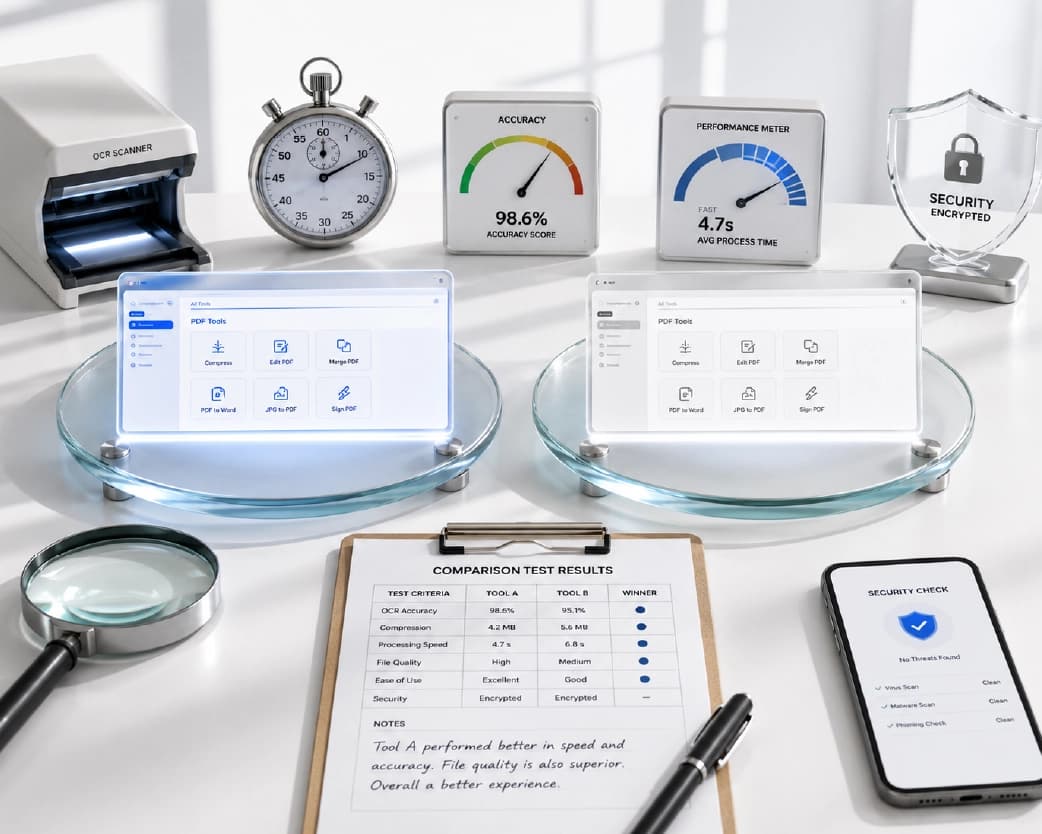
Complete Feature Comparison
| Feature | Plainscan | iLovePDF |
|---|---|---|
| Total tools available | 100 tools across 6 categories | ~25 PDF-focused tools |
| PDF compression | Yes - 3 compression levels | Yes |
| PDF merge and split | Yes | Yes |
| PDF to Word (native) | Yes | Yes |
| PDF to Word (scanned + OCR) | Yes - built-in OCR | No |
| PDF to Excel | Yes | Yes |
| PDF to JPG / PNG | Yes | Yes |
| Word / Excel / PPT to PDF | Yes | Yes |
| PDF rotation and cropping | Yes | Yes |
| PDF watermark | Yes | Yes |
| Digital signatures | Yes | Yes |
| PDF password protection | Yes | Yes |
| PDF redaction | Yes | Limited |
| Image background removal | Yes - AI-powered | No |
| Image compression | Yes | No |
| OCR text extraction | Yes - 5 dedicated tools | No |
| AI document summarisation | Yes | No |
| AI document translation | Yes | No |
| AI rewriting | Yes | No |
| AI data extraction | Yes | No |
| Daily free document limit | 4 documents/day | Limited - varies |
| Max file size - free tier | 50 MB | 15 MB |
| Account required for free use | Yes | No |
| File auto-deletion | After 24 hours | After 2 hours (free) |
| Pay-as-you-go option | Yes - credits from $2 | No |
| Desktop application | Browser-based | Yes (Mac & Windows) |
| API access | Available | Available (paid plans) |
PDF Tools: A Deep Comparison
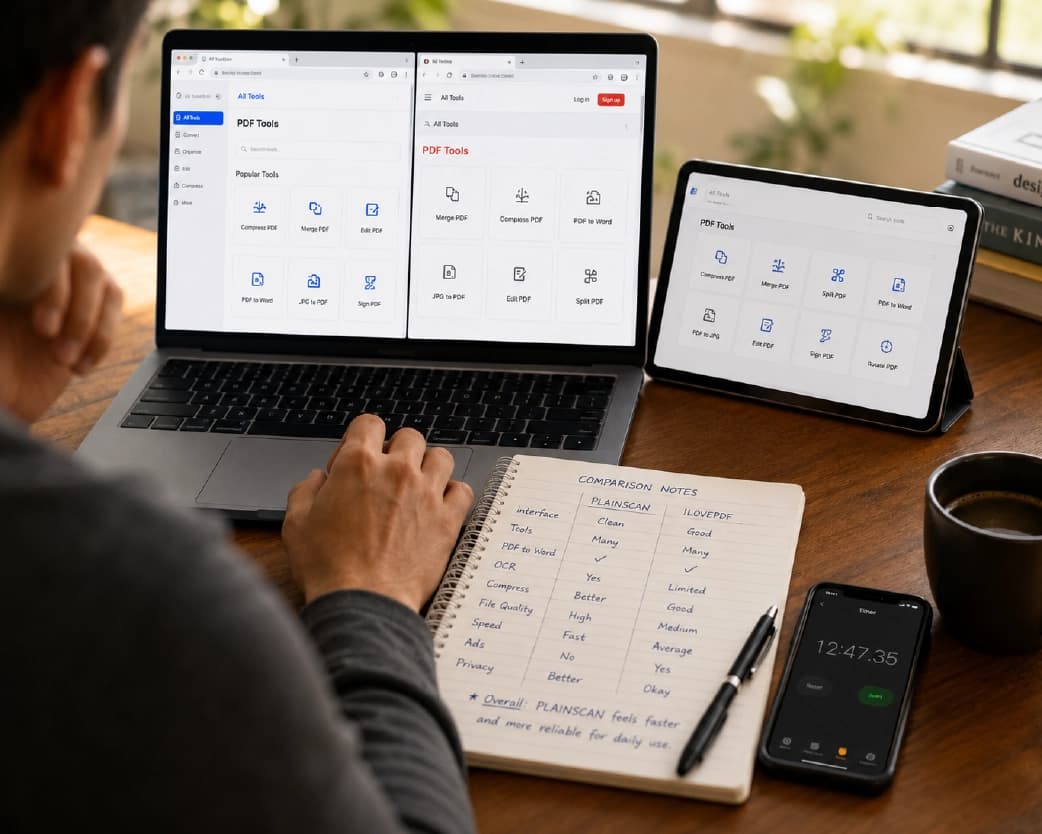
Both platforms cover the essential PDF operations that most users need every day. Compression, merging, splitting, conversion to and from Word, and digital signing all function reliably on both. For straightforward tasks on standard documents, users switching between the two platforms would notice little difference in output quality at the basic level.
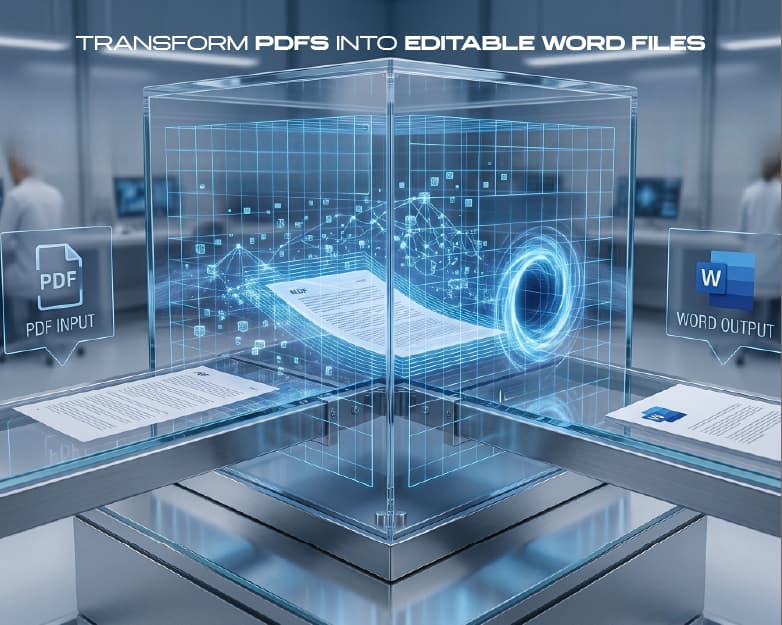
The differences emerge in the details and in the edge cases that represent the real complexity of professional workflows. Plainscan's PDF to Word conversion includes built-in OCR, which means scanned documents - not just native digital PDFs - become fully editable Word files after conversion. iLovePDF's PDF to Word tool works only on native PDFs. For users who regularly work with scanned contracts, invoices, or forms, this single capability difference is a significant workflow advantage that becomes apparent the moment they encounter their first scanned document.
Plainscan also includes PDF redaction, allowing users to permanently remove sensitive text, numbers, or images from documents before sharing. This is critical for legal, HR, and financial workflows and is not meaningfully available on iLovePDF's free tier. The ability to prepare documents for external sharing by permanently removing confidential information - salary figures, social security numbers, proprietary formulas - is a genuine professional requirement that many PDF tools overlook.
Plainscan's PDF splitter allows users to extract specific pages, split by page ranges, or split into individual pages with granular control. Its PDF merger handles both ordering and selective page inclusion, letting users combine specific pages from multiple documents rather than entire files. These refinements in core PDF operations, combined with the broader toolset, position Plainscan as a complete document workspace rather than a utility tool.
AI Features: The Definitive Differentiator
If there is one factor that separates Plainscan from iLovePDF most significantly in 2026, it is AI. Plainscan includes 15 dedicated AI document tools accessible through its pay-as-you-go credit system. iLovePDF includes zero AI features at any pricing tier. This is not a free-versus-paid distinction - it is an absence of AI capability at any price on iLovePDF's platform.
Here is what Plainscan's AI tools enable for real users across different professions:
- AI Summarise: Submit any PDF and receive a structured summary of key points, arguments, and conclusions. A 40-page research paper summarised in under 60 seconds, producing a readable briefing that preserves the source material's core insights without requiring the user to read every page.
- AI Translate: Convert entire documents into another language while preserving the original formatting structure. Unlike paste-and-translate workflows with Google Translate, headings, tables, and paragraph breaks transfer to the translated output intact. Critical for businesses working with international suppliers or regulatory filings.
- AI Rewrite: Improve the clarity, tone, and professional quality of written content within documents. Useful for polishing reports, proposals, and correspondence before sharing with clients or senior stakeholders.
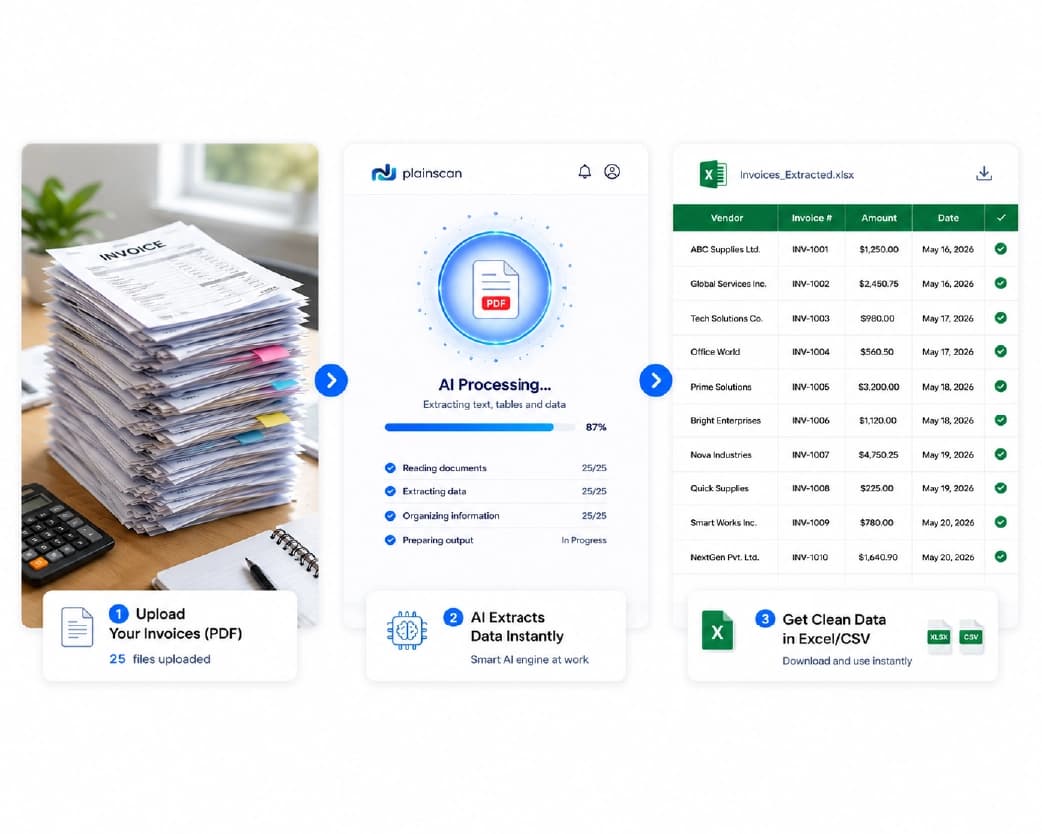
- AI Extract: Pull structured data from invoices, receipts, purchase orders, and forms automatically. Vendor names, amounts, dates, and reference numbers output as structured data without manual entry - a transformative time-saver for finance and operations teams.
- AI Resume Formatter: Enhance and professionally restructure resume content with clean, formatted output. Particularly useful for HR teams reviewing high volumes of applications or professionals updating their CVs.
For professionals in research, finance, legal services, content, or any field that involves processing and acting on document content rather than just moving files, these tools represent hours saved every week. The absence of equivalent features in iLovePDF at any price point is a fundamental capability gap, not a minor feature omission.
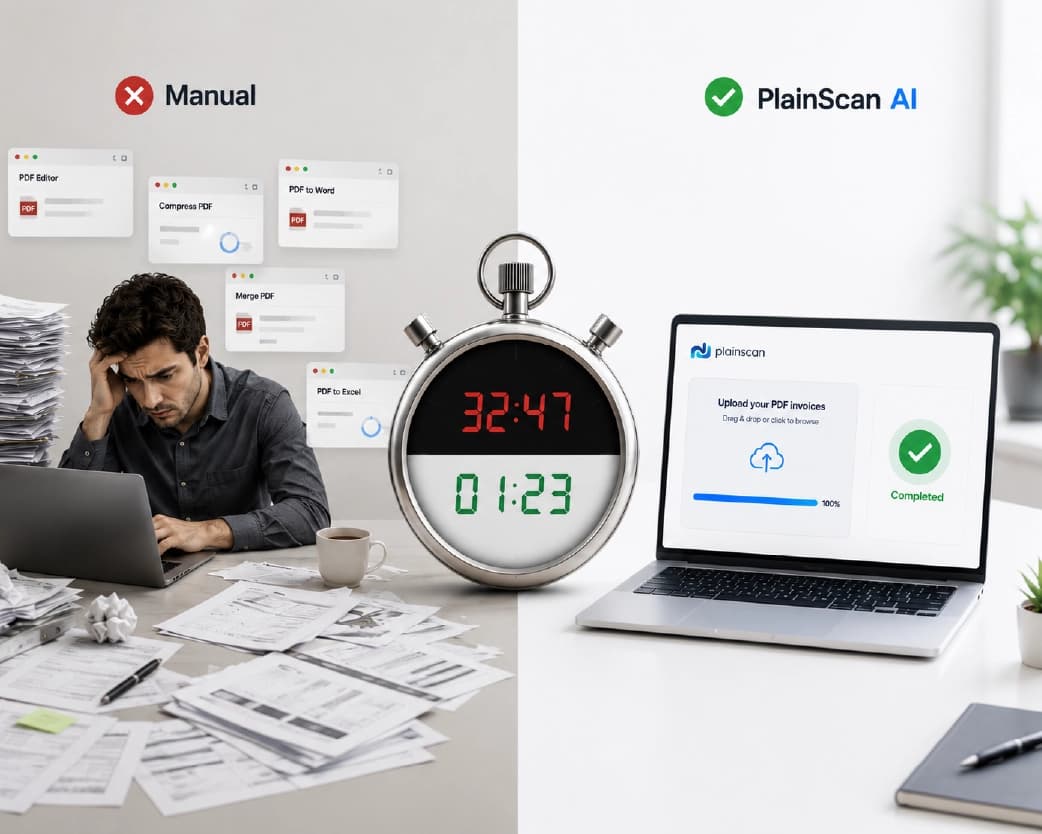
Image and Media Tools
Plainscan extends well beyond PDF into image processing with 13 dedicated image tools including AI background removal, image compression with quality control, format conversion between JPG, PNG, WebP, SVG, and other formats, image resizing, and cropping. These tools operate with the same browser-based, no-installation approach as the PDF tools.
For e-commerce sellers who need clean product images, designers who work across image and document formats, and marketers who process both document reports and visual assets, Plainscan consolidates these workflows into a single platform. A freelance designer can compress a PDF portfolio, remove the background from a product shot, convert a logo from PNG to SVG, and sign a client contract - all within a single browser session without switching platforms or creating accounts on multiple services.
iLovePDF offers no image tools of any kind. Its scope is exclusively PDF. This means any workflow that involves both document and image processing requires users to maintain at least two separate platforms, doubling the friction, the account management, and the file handling for every mixed task.
OCR and Document Scanning
Plainscan includes 5 dedicated OCR and scanning tools. The OCR engine extracts text from scanned images and image-based PDFs, making previously unsearchable documents fully searchable and editable. It supports multiple languages, processes files up to 50 MB on the free tier, and outputs either searchable PDFs or editable Word documents depending on the user's requirement.
For organisations dealing with historical paper records, scanned contracts, invoices received as physical mail, or archival documents that predate digital workflows, OCR capability is not an optional enhancement - it is the fundamental capability that makes those documents useful. Without OCR, a scanned invoice is a photograph. With OCR, it becomes searchable, copyable, and extractable data that can integrate with accounting systems, document management platforms, and analysis workflows.
iLovePDF does not offer a standalone OCR tool. Users who need to convert scanned documents must use a separate platform, which means managing additional accounts, uploading sensitive documents to another service, and interrupting the workflow at the moment that continuity matters most.
Team and Enterprise Use Cases
For teams of five or more people who process documents daily as part of their core workflow, the platform choice has implications beyond individual convenience. The right tool becomes embedded in team processes, influences how documents are shared and processed, and affects onboarding time for new employees.
Plainscan's free tier with 4 documents per day per user means a team of ten can collectively process up to 1,000 documents daily without any subscription cost for standard PDF and image operations. AI features scale with pay-as-you-go credits, meaning the team only pays for actual AI usage rather than paying per-seat subscription fees for capability they use only occasionally.
For HR teams, Plainscan's combination of PDF tools, OCR for processing received documents, and AI Extract for pulling structured data from application forms creates an efficient document processing workflow. For marketing teams, the combination of image background removal, PDF compression for campaign materials, and AI Translate for localising content covers the majority of daily document and image tasks. For legal teams, PDF redaction, digital signatures, OCR for scanned contracts, and AI Summarise for document review represent meaningful workflow acceleration.
iLovePDF offers team plans starting at a per-user monthly fee that provides unlimited access to its PDF tools. For teams that exclusively need PDF operations and no image, OCR, or AI capabilities, this pricing model can be competitive. However, teams that need the broader capability set - which most professional teams do - would still need additional platform subscriptions alongside an iLovePDF team plan, eroding the cost comparison.
Integration and API Access
Both platforms offer API access for developers who want to integrate PDF processing into custom applications, automated workflows, or document management systems. Plainscan's API allows programmatic access to its full toolset including OCR and AI features. iLovePDF's API covers its core PDF operations.
For businesses building document automation workflows - invoice processing pipelines, contract management systems, or content publishing tools - API access is the capability that enables scalable document processing without manual file-by-file uploads. Plainscan's broader API capability, particularly including OCR and AI tools, gives it an advantage for teams building sophisticated document intelligence workflows.
Webhook support, batch processing endpoints, and response format options vary between the two platforms and should be evaluated against specific integration requirements before making a platform decision for automated workflows. Both platforms provide API documentation and developer resources, though the depth and breadth of Plainscan's API reflects its larger toolset.
Accessibility and Compliance
Both platforms operate under HTTPS encryption standards and GDPR compliance frameworks for European users. Neither platform requires personal data to be provided for standard tool use - a meaningful privacy-forward design choice that protects users who process sensitive documents.
For organisations subject to HIPAA in the United States, PIPEDA in Canada, or other jurisdictional data handling regulations, the key questions are server location, data retention policies, and third-party sharing agreements. Both platforms state that uploaded files are not shared with third parties and are automatically deleted after processing. Organisations with specific compliance requirements should review each platform's full privacy policy and data processing agreements before processing regulated data.
Screen reader accessibility - important for organisations with accessibility requirements - is better served by native PDF files with text layers than by image-only scanned documents. Plainscan's OCR tools, by adding searchable text layers to scanned PDFs, directly contribute to making document archives accessible to assistive technology users.
Customer Support and Learning Resources
iLovePDF's fourteen years of operation have produced an extensive knowledge base, help documentation, and community resources. Its user forum contains answers to a wide range of common PDF processing questions. Email support is available on paid plans, and enterprise customers receive priority support channels.
Plainscan provides help documentation covering all 100 tools, with step-by-step guides for common workflows. For users who process standard document tasks, the tools are sufficiently intuitive that detailed support documentation is rarely needed. For edge cases or technical integrations, the platform's support resources are the appropriate starting point.
The practical reality for most individual users and small teams is that PDF tool support requirements are minimal - the tools either work as expected or they don't, and the question is quickly resolved by trying an alternative tool or approach. For this user category, the support ecosystem is a secondary consideration relative to the tool capability and free tier generosity that determine day-to-day usability.
2026 Platform Development Direction
The PDF tool market in 2026 is moving rapidly toward AI-native document processing. The ability to not just move and convert files but to understand, extract, and act on document content is the capability that defines the next generation of document tools. Plainscan's 15 AI tools and pay-as-you-go model position it at the front of this transition.
iLovePDF's development has focused on its core PDF operations and its desktop application, delivering reliability and polish on established capabilities rather than new AI-powered functionality. For users whose needs are stable and well-defined within PDF basics, this trajectory delivers exactly what they need. For users whose document workflows are evolving toward greater automation and AI-assisted processing, the platform trajectory is a relevant consideration.
Real-World Use Case Scenarios
Scenario 1: A Freelance Designer
A freelance designer needs to compress a PDF portfolio for email, remove backgrounds from product images for a client, convert a Word brief to PDF, and sign a contract. On Plainscan, all four tasks happen within a single browser session without creating an account or managing multiple platforms. On iLovePDF, only the PDF compression and Word-to-PDF conversion are available. Background removal and the OCR-based operations require separate platforms.
Scenario 2: A University Student
A student needs to compress a 40-page thesis PDF for submission, convert a scanned reading assignment to searchable text for notetaking, and summarise a research paper before a seminar. On Plainscan, all three tasks are available including the OCR and the AI summarisation. On iLovePDF, only the PDF compression is accessible without additional tools.
Scenario 3: A Small Business Owner
A business owner needs to extract invoice data from 20 scanned PDFs, compress a large product catalogue, and watermark a price list before sending to resellers. Plainscan handles all three tasks including the AI data extraction from scanned invoices, the compression, and the watermarking. iLovePDF handles compression and watermarking but not the invoice data extraction.
Scenario 4: An HR Manager
An HR manager receives 50 application forms as scanned PDFs each week. She needs to make them searchable for keyword review, extract applicant names and contact details, and compress them before archiving. Plainscan's OCR makes every scan searchable, AI Extract pulls applicant data without manual entry, and the compression tool reduces archive storage. None of these operations are available on iLovePDF, meaning three separate platform accounts would be required to replicate the same workflow.
Scenario 5: A Legal Assistant
A legal assistant needs to redact client financial information from a contract before sharing with a third party, add a watermark marking the document as 'Draft', digitally sign the final version, and OCR-process a stack of scanned court documents for keyword search. Plainscan handles all four operations in sequence. iLovePDF's redaction capability is limited, and OCR is unavailable, meaning the workflow would require at least two additional platforms.
Pricing: What Free Actually Means
| Tier | Plainscan | iLovePDF |
|---|---|---|
| Free - daily limit | 4 documents per day | Usage limits apply, varies |
| Free - file size | 50 MB per file | 15 MB per file |
| Free - AI access | Pay-as-you-go from $2/10 credits | Not available at any tier |
| Entry paid plan | $2.00 for 10 credits - never expire | ~$4/month billed annually |
| Mid-tier credits | $4.50 for 25 credits | ~$6/month |
| Credits expiry | Never | N/A - subscription only |
| Teams plan | Available | From $6/user/month |
| API access | Yes - credits apply | Yes - paid plans |
Privacy, Security, and Data Handling
Plainscan uses HTTPS encryption for all file transfers. Uploaded files are processed on secure servers and automatically and permanently deleted within 24 hours of upload. The platform does not require user registration for core tools, meaning no personal data is associated with a file upload by default. Files are not used for training AI models or shared with third parties.
iLovePDF operates under GDPR compliance and deletes files within 2 hours of upload for free users - a shorter retention window that some users may prefer for highly sensitive documents. Like Plainscan, it does not require registration for basic tool access. Both platforms are appropriate for standard business document processing, and the choice between 2-hour and 24-hour deletion is a matter of personal preference for most use cases rather than a meaningful security distinction.
For organisations processing documents that fall under healthcare, financial, or legal data regulations, additional due diligence on server infrastructure location, sub-processor agreements, and data processing addendums is appropriate for either platform. Standard free-tier use should not be considered appropriate for documents covered by HIPAA, PCI-DSS, or similar regulated frameworks without specific contractual protections in place.
Mobile Experience and Cross-Device Use
Both platforms are fully responsive and functional on mobile browsers. Plainscan has optimised its interface specifically for touch navigation, making all 100 tools accessible and usable on a phone screen without requiring an app installation. File upload works from device storage, cloud storage applications, or camera capture directly. For field workers who need to scan, compress, or sign documents from a phone, Plainscan's mobile coverage of all tools is a meaningful advantage.
iLovePDF offers a mobile application in addition to its responsive browser interface, which some users prefer for a more native-feeling mobile experience. The mobile app covers core PDF operations and may perform slightly faster than the browser interface on lower-powered devices due to local processing optimisation. For users whose primary document processing happens on mobile, iLovePDF's dedicated app is worth considering.
Platform Reliability and Uptime
Both Plainscan and iLovePDF operate as cloud-based services with server infrastructure that determines availability during peak usage periods. For professionals whose document workflows are time-sensitive - contracts that must be signed before a deadline, reports that must be compressed before a board meeting, invoices that must be processed before month-end close - platform reliability is not a background concern but an active workflow dependency.
Plainscan's infrastructure is engineered for consistent performance across its full 100-tool suite. Tools operate independently, meaning that a temporary issue with one AI tool does not affect the availability of core PDF operations. The platform maintains processing capacity across its most heavily used tools - compression, conversion, and OCR - to ensure these remain available during high-demand periods.
iLovePDF's fourteen years of operation have produced a platform with strong reliability for its core PDF operations. Its established infrastructure and focused toolset mean that performance is consistent for the standard PDF tasks it covers. As with any cloud service, brief periods of degraded performance can occur, and both platforms provide status pages where users can check current service availability.
Document Quality and Output Standards
Output quality - how closely the processed document matches user expectations and professional standards - is as important as tool availability for real workflow requirements. For PDF compression, output quality means maintaining legible text and acceptable image quality at the target file size. For PDF-to-Word conversion, it means preserving the document's structural integrity with minimal manual correction required. For OCR, it means accurate character recognition with low error rates.
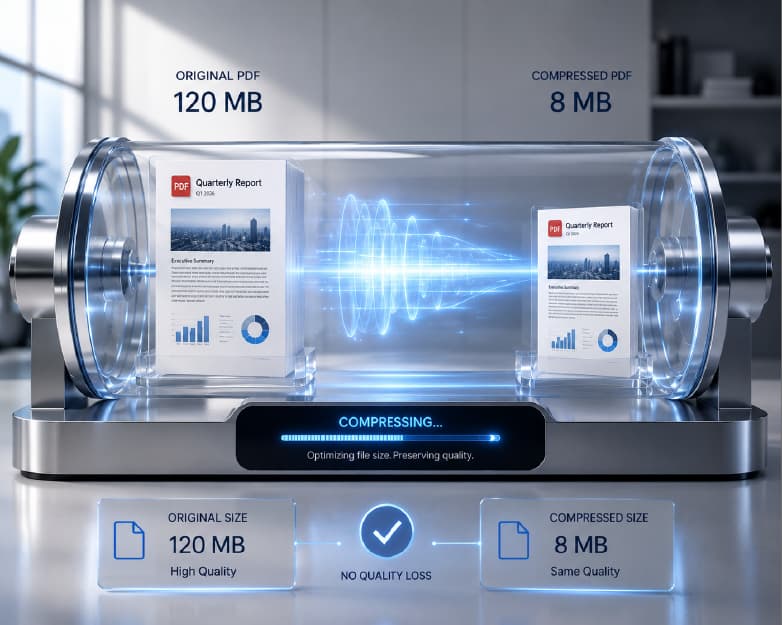
Plainscan's compression engine maintains text sharpness as a priority across all compression levels. Text within compressed PDFs remains fully legible at standard viewing sizes on medium and low compression settings, which is the expected standard for professional document distribution. Image quality follows the compression level selected, with medium settings preserving sufficient quality for screen viewing of standard business photography.
iLovePDF's compression output quality on standard business documents is comparable to Plainscan at equivalent compression levels. For the core compression use case on text-heavy documents, both platforms deliver professional-quality results. The quality differentiation becomes relevant at the edges of use cases - image-heavy portfolios, print-quality design documents, or high-resolution technical illustrations - where the user experience of choosing compression levels and previewing results before downloading becomes meaningful.
Cross-Browser and Cross-Platform Compatibility
Both platforms operate in the browser without requiring software installation, which means compatibility with the full range of modern browsers and operating systems. Plainscan functions correctly in Chrome, Firefox, Safari, Edge, and Brave across Windows, macOS, Linux, iOS, and Android. iLovePDF similarly supports all major browsers on all major operating systems.
For enterprise environments where IT departments control browser versions and may restrict certain browser capabilities, both platforms operate within the standard web security model and do not require browser plugins, extensions, or elevated permissions. File uploads occur via standard browser file upload mechanisms. Downloads use standard browser download handling. No ActiveX, Flash, or deprecated web technologies are required.
For users who prefer a native application rather than a browser-based experience, iLovePDF's desktop application for Mac and Windows provides an offline alternative for its core PDF tools. Plainscan's browser-first design means its full 100-tool capability requires an internet connection, which is appropriate for the vast majority of modern knowledge workers but may be a consideration for users who regularly work in environments with unreliable connectivity.
- 100 tools covering PDF, image, OCR, AI, and media in one platform
- 4 documents per day free - genuinely usable limits
- 50 MB free file size - handles real-world documents
- 15 AI tools for summarisation, translation, extraction, rewriting
- Pay-as-you-go credits that never expire - no subscription pressure
- Built-in OCR for scanned document processing
- Image background removal and compression in the same workspace
- Files auto-deleted in 24 hours - strong privacy default
- Free account required to use the platform
- Team and API capabilities for scaling workflows
- 14 years of operation with a proven track record
- Clean, simple interface optimised for PDF-only workflows
- Reliable performance on core PDF operations
- Desktop application for Mac and Windows
- GDPR compliant with 2-hour file deletion for free users
- Established help documentation and community resources
The Verdict for Specific User Profiles
For the Occasional User (1-3 documents per week)
Either platform works for very occasional use. iLovePDF's simple interface and reliability for basic PDF tasks is adequate. Plainscan's broader capability is available when needed without any additional setup. The deciding factor is whether the user anticipates needing OCR, image tools, or AI features at any point - if so, Plainscan is the better default bookmark even for low-volume use.
For the Enterprise Team (50+ users, high volume)
Evaluate both platforms' team and enterprise plans against specific requirements for centralised management, audit trails, SSO integration, and compliance certifications. Plainscan's broader toolset reduces the total number of platforms a team needs to procure and manage. iLovePDF's enterprise features are mature for PDF-specific workflows. For teams with diverse document processing needs, Plainscan typically provides better overall value.
Frequently Asked Questions
Q: Is Plainscan completely free to use?
Yes. Core tools are free with 4 documents per day and 50 MB file size limit. AI features use a pay-as-you-go credit system from two dollars for ten credits that never expire. No subscription is required for standard PDF, image, OCR, or conversion tasks.
Q: Which tool handles larger files for free?
Plainscan supports files up to 50 MB on the free tier. iLovePDF limits free users to 15 MB. Presentations, scanned multi-page reports, or image-heavy PDFs frequently exceed 15 MB, making Plainscan the only practical free option for larger documents.
Q: Does iLovePDF have any AI features?
No. iLovePDF does not offer AI document features at any pricing tier. Plainscan includes 15 AI tools covering summarisation, translation, rewriting, and data extraction through a pay-as-you-go credit system starting at two dollars for ten credits.
Q: Can both tools handle scanned PDFs?
Plainscan includes a dedicated OCR suite that converts scanned image-based PDFs into searchable and editable documents. iLovePDF does not offer equivalent OCR functionality on its free tier, meaning scanned PDFs cannot be made searchable or editable through the platform.
Q: Are my documents safe when uploaded to either platform?
Both platforms use HTTPS encryption and do not share files with third parties. Plainscan auto-deletes files within 24 hours. iLovePDF deletes within 2 hours for free users. For highly sensitive information, review each platform's privacy policy before uploading and consider whether a cloud link approach is more appropriate for your sensitivity level.
Q: Can I use Plainscan on my phone?
Yes. Plainscan is fully responsive and all 100 tools work on iOS and Android mobile browsers without an app download. The interface is optimised for touch navigation and supports file upload from device storage, cloud drives, and camera capture.
Q: Does Plainscan work without creating an account?
Yes. All core tools on Plainscan are accessible without account registration. An account is only required to save credit balances, access team features, or manage document history across sessions.
Q: What is the pay-as-you-go credit model on Plainscan?
Credits are purchased in packs starting at two dollars for ten credits. Each AI tool use consumes one credit. Credits never expire, meaning a two-dollar purchase covers months of occasional AI use without recurring charges. This model makes AI-powered document tools accessible to individual users and small businesses who need AI features occasionally rather than daily.
Q: Does iLovePDF have a desktop application?
Yes. iLovePDF offers desktop applications for Mac and Windows that allow PDF processing without a browser connection. Plainscan is browser-based only, which works well for most users but means offline processing is not available.
Q: Which platform is better for a team of ten people?
For a team with diverse document processing needs - PDF, image, OCR, and AI tools - Plainscan's free tier at 4 documents per user per day covers the majority of standard workflows at zero cost. For AI-heavy workflows, the pay-as-you-go model means teams pay only for actual AI usage. iLovePDF's team plans offer unlimited PDF access for a monthly per-user fee, which may be appropriate for teams with exclusively PDF-focused workflows and no need for image or AI tools.
Q: Which tool is better for processing invoices and financial documents?
Plainscan is significantly better for invoice and financial document processing. Its OCR tools make scanned invoices searchable, and its AI Extract tool pulls structured data - vendor names, amounts, dates, invoice numbers - from invoices automatically without manual data entry. iLovePDF has no OCR or AI extraction capability, limiting it to basic PDF operations on financial documents.
Conclusion
THE VERDICT: Plainscan wins this comparison for the large majority of users in 2026. The 3x toolset advantage, significantly more generous free tier, built-in OCR, and 15 AI features represent a genuine capability difference that iLovePDF cannot close with reliability alone.
Further Reading:How to Resize an Image Online (Free, No Blur, No Distortion)
Related insights


Get the Plainscan App for iOS & Android