Is It Safe to Convert Sensitive Legal Documents Online? Privacy Guide for 2026
Picture this. You have a signed contract, a court filing, or a client NDA sitting on your laptop. You need it in a different file format, fast. So you type an online PDF converter into Google, click the first free link, and drop your file in. Ten seconds later, you have your converted file. But here's the question almost nobody stops to ask: where did your original document just go? This guide answers that question in plain words. We look at what really happens when you upload a legal file to a random website, why extra care matters here, and how you can convert sensitive documents without putting your privacy at risk. By the end, you will know exactly when an online converter is fine to use, and when you should stay far away from one.
What Does "Converting a Document Online" Actually Mean?
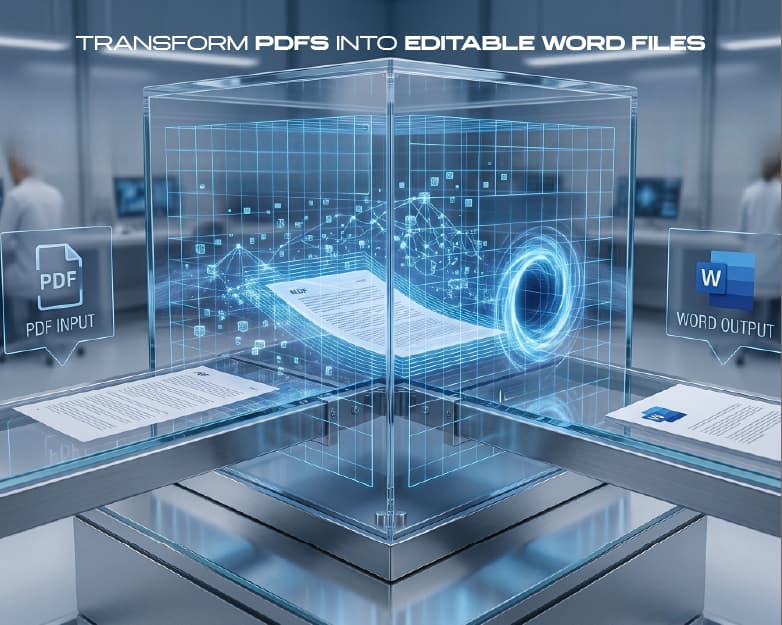
When people say "online PDF converter," they mean a website that changes your file from one format to another - say, from PDF to Word, or from an image to PDF. You do not install anything. You just visit the site, upload your file, wait a few seconds, and download the result.
This sounds simple, but a lot happens behind the scenes. The moment you pick a file and hit upload, it leaves your computer and travels to a server that belongs to someone else. You have no way to see that server, no way to know which country it sits in, and no way to know how long your file stays there after the job is done. The finished file you download back tells you nothing about what happened to the original copy in between.
Many converter sites also do not do the work themselves. They quietly pass your file to other companies in the background to finish the conversion, so even a website you trusted is often not the only company that touches your data. And when a site claims "we process everything in your browser and never see your file," that claim is hard to check, since the code on that page can change the next time you visit.
Why Legal Documents Carry Extra Risk
Legal paperwork is different from a holiday photo or a shopping list. A contract, a will, a custody agreement, or a court filing usually holds someone's full name, address, signature, financial details, and sometimes very private family or health information. If this data lands in the wrong hands, the damage goes far beyond embarrassment. It can lead to identity theft, blackmail, a leaked case strategy, or a broken client relationship.
Security experts who work in the legal field point out that legal matters almost always involve confidential material, and even websites with strong security still carry the risk of a breach or someone getting access who should not. A lawyer or a firm handling client paperwork does not just risk their own privacy when they upload a document online - they risk their client's privacy too, and that comes with real professional consequences.
This is exactly why the "would you email this to a stranger" test works so well for legal files. A birth certificate, a signed lease, a will, or a business contract almost always fails that test. If you would never attach the file to an email and send it to someone you do not know, you should not upload it to a free online tool either.
The Real Dangers: Malware, Data Theft, and Data Breaches
Free file converters look harmless, but security researchers keep finding the same three problems again and again.
- Malware hidden inside your "converted" file. Sometimes the converter does exactly what it promises - it turns your file into the new format you asked for - but the file it hands back secretly carries a virus. This can include ransomware, which locks up your files and demands payment, or spyware, which quietly watches everything you type, including passwords.
- Your data gets copied and sold. Some converter sites exist mainly to grab whatever personal information sits inside the files people upload - names, ID numbers, bank details, signatures - and sell or misuse that data later. A legal document is often packed with exactly this kind of information, which makes it a prime target.
- Files sit on a server with no clear deletion date. When you submit a file to one of these sites, there is no way to know whether it gets deleted right away, saved for later, or exposed if that company ever suffers a breach. Even a well-meaning company can leak your file through a mistake it never saw coming.
None of this means every converter is a scam. It means you cannot tell the safe ones apart from the dangerous ones just by looking - and that uncertainty is exactly why legal files need a different approach.
The Redaction and Metadata Trap Most People Miss
Even when a document does not contain obviously "secret" text, it can still leak private details in two ways that most people never think about.
The first is bad redaction. Many people believe that drawing a black box over a name or account number on a PDF removes that text. It usually does not. In most tools, the original text still sits underneath the black box, hidden but not deleted, and anyone can select and copy it straight out. This exact mistake has caused several public leaks of documents that were supposed to be private.
The second is the growing use of cloud-based tools for sensitive redaction and file work. Once a file is uploaded to a third-party cloud service, you lose direct control over where it is stored, who can view it, and how it gets deleted. Even a well-run cloud company can suffer a simple setup mistake that exposes files to the public internet - large, well-known companies have faced this before, not because of a hacker, but because of one small configuration error. For legal files, this kind of accidental exposure is treated as seriously as a real breach, because the information inside is often protected by law.
The safer approach is to keep sensitive redaction and file handling on your own device whenever you can, so the file never has to leave your control in the first place.
How to Convert Files Safely, Step by Step
You do not need to be a tech expert to convert files the safe way. Follow this simple process whenever the file matters:
- First, check if you can convert the file using tools already on your device, such as your word processor's "Save As" or "Export" option, since this keeps the file completely local.
- Second, if you truly must use an online tool, open it in a private or incognito browser window, since this cuts down on the information the site can collect about you.
- Third, read the privacy policy before uploading anything, and look for a clear statement on whether files are stored or deleted after conversion.
- Fourth, make sure the file has no personal, financial, or confidential information in it - if it does, stop and find another way.
- Fifth, once you download your file, scan it with antivirus software before opening it, especially if it arrives inside a zipped or password-protected folder, since that is a common trick used to hide harmful files.
- Finally, avoid any converter that asks for an account, payment details, or a separate program download just to change a file's format.
Treat this as one simple checklist, not a scary list of rules, and it becomes easy to remember every time you convert something.
Benefits of Choosing Secure PDF Conversion for Sensitive Files
Choosing a genuinely secure way to convert your legal documents is not just about avoiding disaster - it also gives you real, everyday advantages.
When a tool is built around strong privacy practices, your files stay encrypted both while they travel and while they sit in storage, so only people you choose can actually open them. A well-designed process also follows a "least access" rule, meaning only the right people can view a file, rather than leaving it open to anyone who finds the link. Good tools let you track who opened a document and when, which matters in legal work where you may need to prove exactly who saw a file. Instead of sending sensitive contracts as plain email attachments - one of the biggest sources of leaked files - a secure workflow replaces that habit with proper encrypted sharing.
This is where a tool built specifically for privacy, like Plainscan, earns its place. Rather than treating security as an afterthought, secure conversion tools are designed so your document's format changes without its contents ever becoming someone else's data.
Advanced Tips: How to Vet Any Converter Before You Trust It
Before you trust any converter with a legal document - free or paid, well-known or brand new - run it through this quick checklist:
- Ask whether the tool processes your file locally or sends it to a server, since local processing is always the safer default.
- Read the terms of service for any wording that gives the site broad rights over content you upload, since some sites technically grant themselves ownership or usage rights the moment you hit submit.
- Look for a clear retention and deletion policy, and be cautious of any tool that stays vague about how long it keeps your data.
- Prefer tools that do not force an account or an email address just to convert one file.
- Stay away from any site pushing you toward a downloadable ".exe" file, since fake "converter installers" are a known way to sneak malware onto your computer.
- Finally, never use a converter you found through a random search ad for anything that matters - go directly to a source you trust, like Plainscan.
Running through this list takes less than a minute, but it is often the difference between a routine conversion and a serious privacy mistake.
Frequently Asked Questions (FAQs)
Is it safe to convert legal documents online?
It depends entirely on the tool and the document. Low-risk, non-personal files are usually fine to convert online. But contracts, court papers, IDs, and anything with personal or financial details should be converted using a secure, privacy-focused method instead of a random free converter.
What is the biggest risk of using a free online PDF converter for legal files?
The biggest risks are hidden malware inside the converted file and the theft or misuse of the personal data contained in the original document. Free converters are a known target for scammers precisely because people upload sensitive files to them without a second thought.
How can I tell if a PDF converter protects my privacy?
Check whether the tool processes files locally instead of uploading them to a server, read its privacy policy for a clear data retention and deletion statement, and avoid any tool that asks for unnecessary personal information, payment details, or a separate program download.
Does deleting a converted file from my downloads folder remove it from the converter's server too?
No. Deleting your local copy has no effect on whatever copy the converter's server may still hold. You have no way to confirm the file was removed unless the company clearly states its deletion policy.
Is a secure online PDF converter different from a regular one?
Yes. A secure online PDF converter is built with encryption, clear data deletion rules, and no unnecessary data collection, unlike many free tools that exist mainly to serve ads or collect user data. Always check for these features before trusting a site with anything important.
What should I do if I already uploaded a sensitive legal document to an unsafe converter?
Change any passwords or account numbers that appeared in the document, monitor your accounts for unusual activity, and avoid using that same tool again. Going forward, switch to a trusted, privacy-first method for any sensitive file.
Conclusion
Converting a file online feels like a tiny, throwaway task, which is exactly why it is so easy to overlook the risk. For a meme or a screenshot with nothing personal in it, a free converter is usually fine. But legal documents are a different story. They carry names, signatures, case details, and financial information that can cause real harm if they end up in the wrong hands. The simplest rule to remember is this: if you would not email the document to a complete stranger, do not upload it to a random converter website either. Whenever a file is sensitive, choose a tool that keeps your data under your control, whether that means converting it locally on your device or using a service like Plainscan that is built around genuine privacy, not just speed. In 2026, protecting your documents is not optional - it is simply part of doing things the right way.
Recommended to Read:How to Compress Large PDFs for Email Attachments Without Losing Text Clarity
Related insights



Get the Plainscan App for iOS & Android