What Is OCR? How to Extract Text from Scanned Documents and Images (Free)
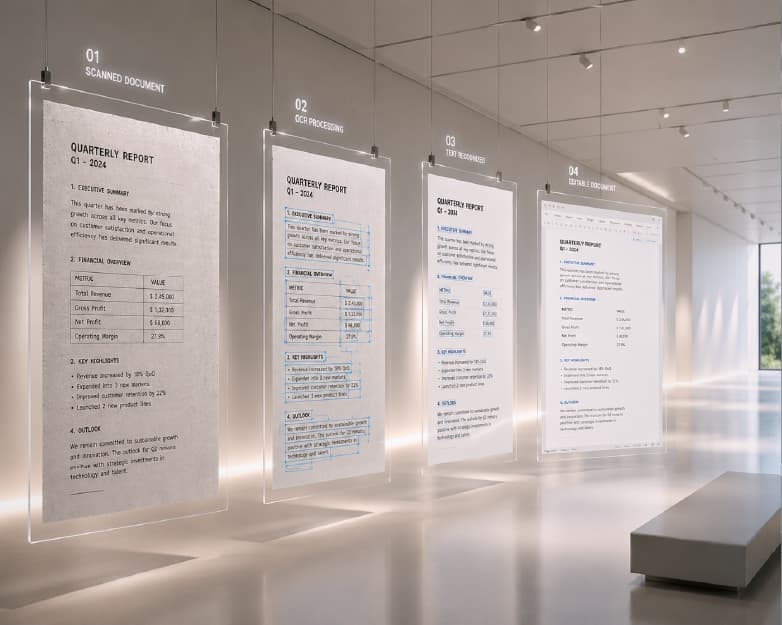
OCR refers to Optical Character Recognition technology that is used to recognize the text in images and scanned documents and convert it to editable text rather than just a picture with some text in it. Today, the fastest means to get the text out of images or a scanned document is to upload such image to a free online OCR service. It will automatically read the text in the image for you and give you the editable version of text in seconds – without having to type or scan the image yourself. This guide covers what OCR actually does under the hood, how to extract text from images, scanned PDFs, screenshots, and handwriting, what affects accuracy, how multi-language recognition works, and the specific situations - low-quality scans, unusual fonts, handwritten notes - that are worth understanding before you rely on OCR for something important.
What OCR Actually Does
A scanned document or a photo of a page is, as far as a computer is concerned, just a grid of colored pixels - there's no concept of "letters" or "words" baked into the file the way there is in a typed Word document or a PDF created directly from a word processor. OCR is the process of analyzing that grid of pixels, recognizing the shapes that correspond to individual characters, and reconstructing them as actual machine-readable text - the same text you'd get if someone had typed the document from scratch.
This distinction matters more than it sounds like it should. A scanned PDF of a contract looks identical to a text-based PDF of the same contract when you're just looking at it on screen, but you can't search, copy, or select text in the scanned version until OCR has been run on it - every "letter" is actually just part of an image, with no underlying text layer for your device to interact with. Once OCR processes it, the file gains that missing text layer, and suddenly you can search for a specific clause, copy a paragraph into an email, or highlight a sentence - all things that were impossible on the image-only version.
Step-by-Step: Extracting Text from an Image or Document
Using Plainscan's OCR tool:
- Upload the image or document. JPG, PNG, and scanned PDF files all work as input - the tool doesn't need you to specify the format in advance.
- Let the tool process it. OCR analysis runs automatically once the file uploads; for a single page, this typically takes just a few seconds.
- Review the extracted text. Skim the output against the original, especially for anything with numbers, unusual formatting, or dense small print - these are the areas most likely to need a manual correction, covered further down.
- Copy or export the result. Depending on what you need the text for, you can copy it directly, or use it as a starting point for further editing.
That's the entire core workflow for a single, straightforward document. The rest of this guide covers the variations - scanned PDFs specifically, multiple languages, screenshots, handwriting, and the accuracy factors that determine how clean that first-pass result actually is.
Extracting Text from Scanned PDFs
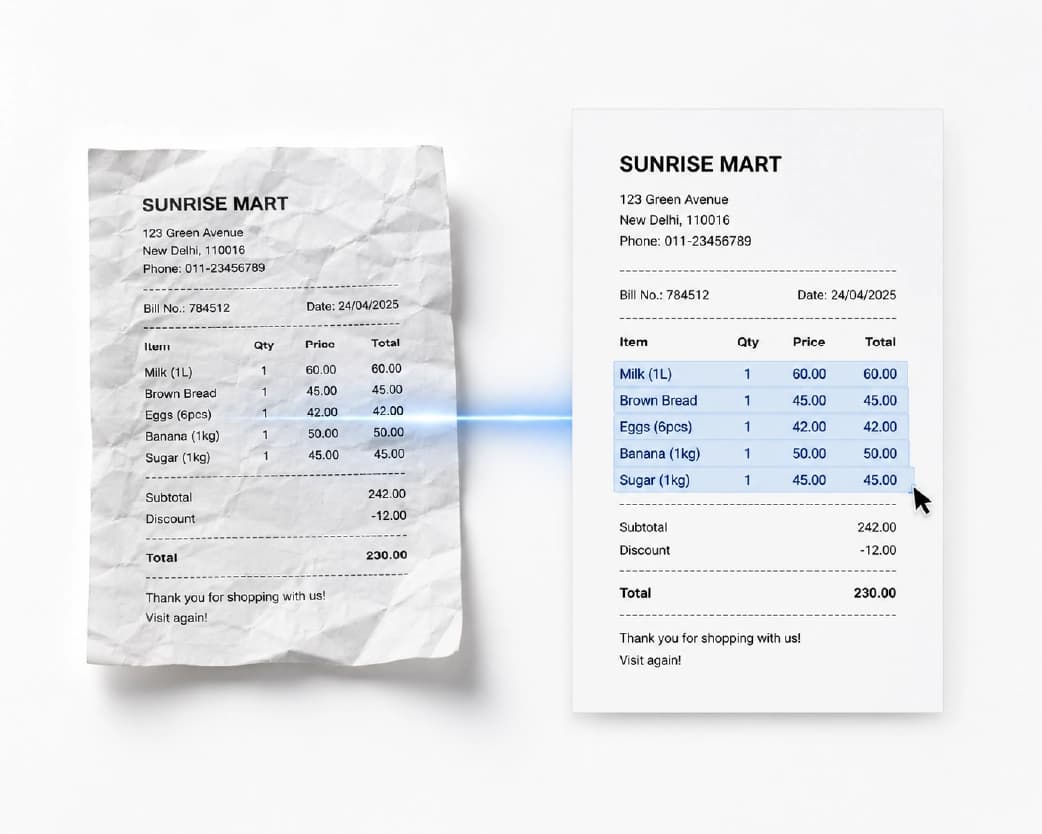
A scanned PDF - the kind you get from a physical scanner, a mobile scanning app, or a photocopier with a "scan to PDF" function - is fundamentally an image wrapped in a PDF container, page by page, the same way a photo is. OCR will operate the same for scanned PDFs as an individual image because it is simply going through all the pages of the document and adding a text layer beneath the images.
The only real difference between scanned PDF documents with several pages and an individual image file is the amount of time required for OCR to process the document, which is related to the number of pages, not simply one pass. This is hardly noticeable for an individual contract or small document. A 50-page PDF file will take much more time, and it is worthwhile to check randomly selected pages, instead of the first one, as scan quality may differ from page to page (pages that were scanned at an angle or those that had a coffee stain on them or were folded tend to yield bad OCR results compared to their neat neighboring pages).
After the OCR software has performed its job on the PDF document, the new document will act like any other typical PDF document and allows one to search for keywords, copy texts and even use screen readers on the data in the document which was not possible before this process.
Multi-Language OCR: Getting Text in Hindi, Marathi, Bengali and More
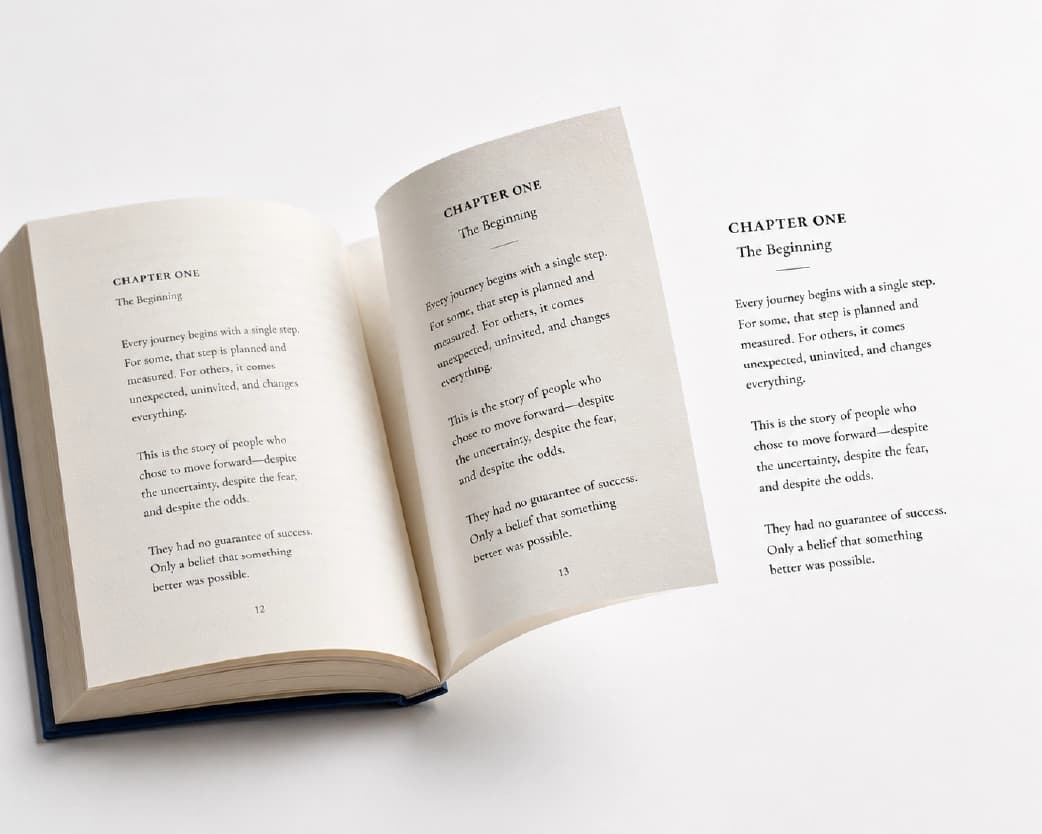
The performance of the OCR depends on the ability of the system to recognize the script and to understand the language of the document. In case the system is optimized only to read the documents having the scripts in English, French, and Spanish languages, there can be problems when processing documents in Devanagari script or in Bengali scripts.
Plainscan's OCR tool supports multiple languages, which covers the major Indic scripts alongside the more commonly assumed English/European coverage - genuinely useful in case you are scanning a multilingual document containing both English and Hindi script in handwritten or printed format or any other document in regional language such as Marathi or Bengali. In case you have an individual regional language that you wish to test, it would not hurt to try one page out, especially since, despite appearing on the list of "supported" languages, accuracy for low resource languages (i.e., those where fewer samples are available) is typically a little lower than high resource languages such as English, Spanish or Chinese.
Extracting Text from Screenshots
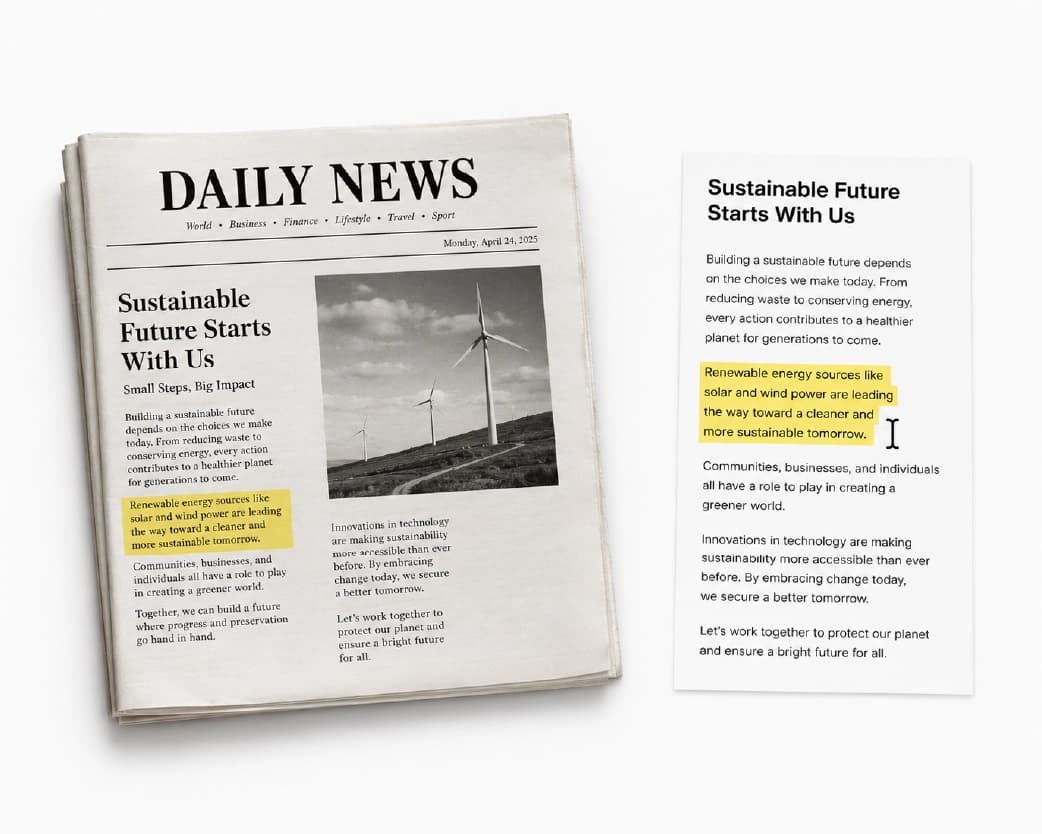
Screenshots are a specific and increasingly common OCR use case - grabbing text from a webpage that doesn't allow copy-paste, pulling a quote out of a chat conversation, or extracting a phone number from a photo of a business card someone sent you in a message thread. Screenshots generally scan well because they tend to be high-contrast (either black letters on white screen, or the other way round) and do not contain the physical characteristics of the actual scans of the paper, such as folds, shadows, skew. The only problem with accuracy in OCRing screenshots is that of tiny fonts combined with scaling problems in the image. An OCR of a screenshot taken at low resolution, or scaled down too much can cause mistakes due to compression of tiny details of the text; hence, in case it is possible, taking screenshots at maximum resolution and/or of parts of the picture rather than the whole thing is preferred.
Handwriting Recognition: A Different Challenge Than Printed Text
It's worth being direct about this: OCR handles printed text - text from a printer, typewriter, or a screen - dramatically more reliably than it handles handwriting, and this isn't a minor gap. Printed characters are consistent; the same letter "a" printed by the same font looks identical every time. Handwriting varies enormously from person to person, and often within a single person's own writing depending on speed, pen type, and even mood - which makes it a fundamentally harder pattern-recognition problem.
Modern OCR handles clear, neat, well-spaced handwriting reasonably well, especially block-printed text (writing where each letter is formed separately rather than in cursive). Cursive handwriting, fast or messy handwriting, and handwriting with inconsistent letter spacing all significantly reduce accuracy - sometimes dramatically. If you're digitizing handwritten notes, expect to review and correct the output more carefully than you would for a printed document, and know that this is a genuine, current limitation of the technology broadly, not something specific to any one tool underperforming.
What Affects OCR Accuracy
Several aspects influence the cleanliness of the initial OCR output, and knowledge of them helps you either improve your results or understand when more manual work will be required.
- Image resolution and sharpness. OCR relies on image data on a pixel level, which means that a blurred, low-resolution or compressed image provides less information for the recognition algorithm to work with. A clear, well-illuminated, and high-resolution scan/photo beats any blurred one.
- Text-background contrast. Black text on a light plain background (and vice versa) is the simplest scenario for an OCR tool to cope with. The text placed over complex background images, colorful or patterned backgrounds, and text with low contrast against the background is harder to recognize.
- Font and formatting uniformity. Plain fonts of an acceptable size, not too fancy, not decorated, and not bizarrely spaced, recognize far more easily than fancy fonts, tightly kerned text, and text formatted in weird ways such as curved or rotated text.
- Skew and orientation. The skewed scan will create distortion and cause trouble for the OCR, but while modern OCR software copes well with minor skew, more serious skew will reduce the accuracy significantly. Pre-straightening a scan prior to the OCR process may help.
- Physical scan artifacts. Folds, creases, coffee stains, torn edges, or shadows across part of a physical document all obscure the underlying text in ways that are genuinely difficult for any OCR system to fully compensate for.
- Language and script. Recognition accuracy varies by language, generally correlating with how much training data exists for that language and script.
Is It Safe to Run OCR on Sensitive Documents Online?
This is worth asking before uploading a scanned contract, a medical record, or a financial statement to any online tool, rather than assuming every OCR service handles sensitive content the same way. Running OCR requires the tool to receive the actual content of your document to read it - that part is unavoidable regardless of which tool you use. What varies is what happens afterward: how long the file and extracted text are retained, whether the connection is encrypted, and whether an account ties the upload to an identifiable user.
For genuinely sensitive material - signed agreements, financial records, anything containing another person's personal data - it's worth checking a tool's stated retention and deletion policy before uploading, and favoring tools that process over an encrypted connection and clearly state files are deleted after processing rather than retained indefinitely. Plainscan's OCR tool requires a free account for basic use (unlike the merge and background-removal tools covered elsewhere in this project, which don't require one), which is worth knowing upfront if you were expecting fully anonymous use.
Batch and Bulk OCR for Large Document Sets
Digitizing a single page is a one-off task; digitizing a filing cabinet, a semester of notes, or years of scanned invoices is a genuinely different scale of work, and it's worth approaching it differently. Rather than uploading and reviewing documents one at a time for a large batch, check whether the tool supports processing multiple files in a single session - this saves meaningful time purely on the upload and review workflow, separate from the actual OCR accuracy.
Continue Reading:How to Sign a PDF Online for Free (No Printing, No Scanning)
For large batches specifically, running a small representative sample first - a handful of documents spanning the range of quality and format in your actual set (a crisp recent scan, an older faded one, a page with a table, a page with handwriting) - before committing to the full batch catches systematic issues early. If the sample reveals that faded older scans are consistently coming back with poor accuracy, that's useful to know before processing all of them, since it might be worth re-scanning the physical originals at higher quality if that's still an option, rather than discovering the issue only after the full batch is done.
OCR and Document Accessibility
A less obvious but genuinely important use case: OCR is what makes a scanned document accessible to screen readers and other assistive technology. An image-only PDF is invisible to a screen reader - there's no text for it to read aloud, regardless of how clearly a sighted person can read the scanned page. Running OCR on that document and adding a text layer is what allows a screen reader to actually parse and read its content, which matters for organizations with accessibility compliance requirements (many public-sector and larger organizations have formal obligations here) and, more simply, for making any document usable by someone who relies on assistive technology to read it at all.
Document Type vs. Expected OCR Accuracy
| Document type | Typical accuracy | Notes |
|---|---|---|
| Clean printed text, high-resolution scan | Very high | Best-case scenario for OCR |
| Screenshot of digital text | Very high | High contrast, no physical scan artifacts |
| Photocopy or faded printing from paper | Medium to high | Very dependent on contrast and fade |
| Picture of a printed page taken on a mobile phone | High, if it is flat and well-lit | Skew and shadows affect accuracy |
| Legible hand written letters | Medium | Significantly less accurate than printed text |
| Cursive or illegible hand writing | Low to medium | Manual checking highly advised |
| Complex tables with merged cells | Moderate | Structure often needs manual correction |
| Text over busy or patterned backgrounds | Low to moderate | Low contrast is the primary obstacle |
Extracting Text on Mobile: Phone Camera to Text
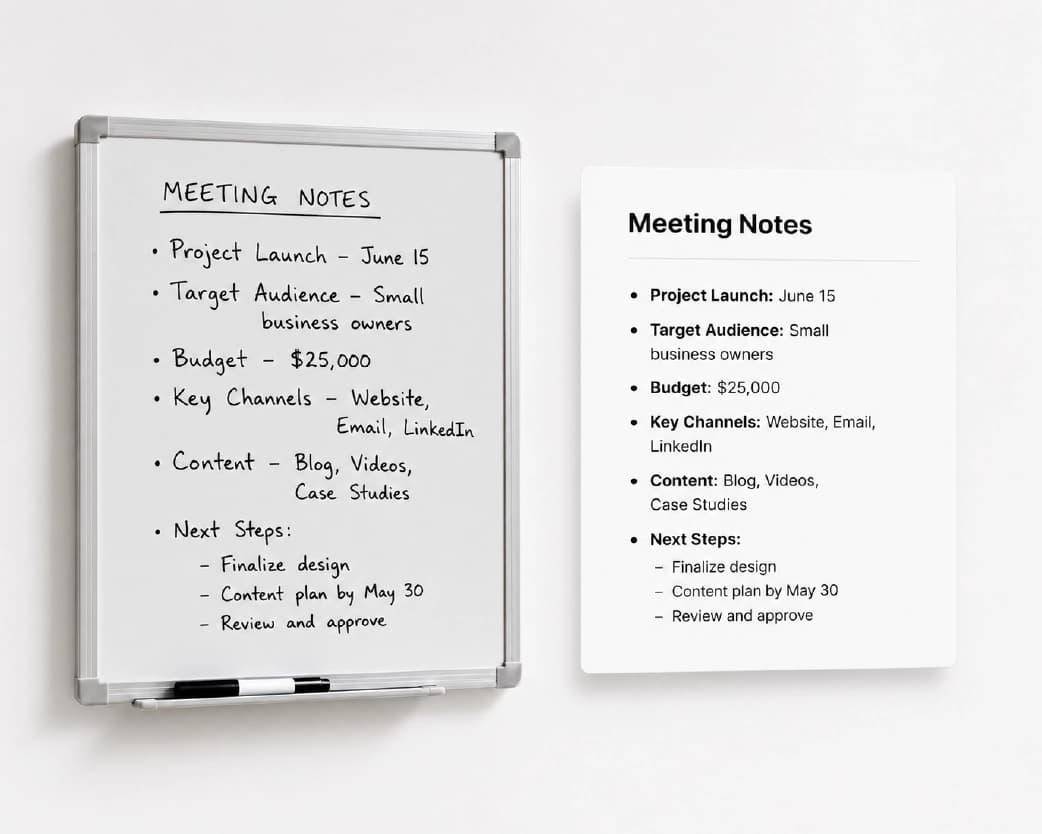
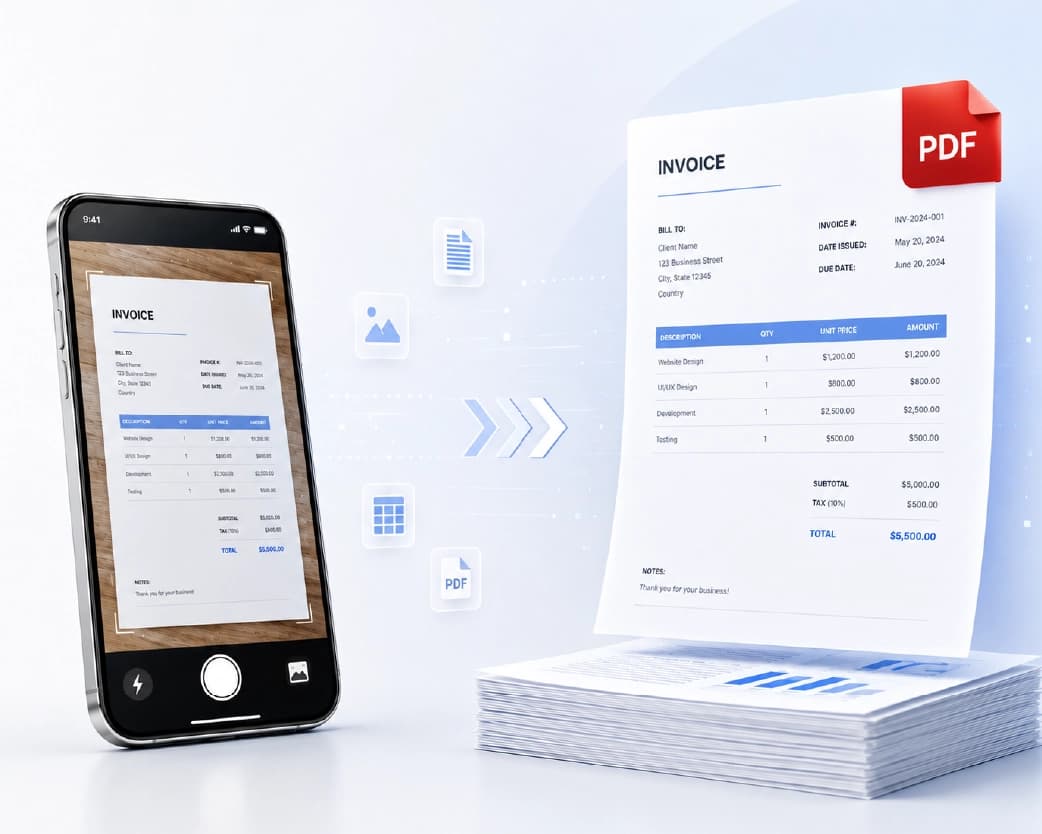
A large share of real-world OCR use starts with a phone camera rather than a physical scanner - photographing a whiteboard, a printed page, a business card, or a sign. This works well with browser-based OCR tools: photograph the document, upload the photo the same way you'd upload any image, and the extraction process is identical to working from a scanned file. However, the critical variable is not the procedure but the photo quality – having the camera phone directly overhead the sheet (not an oblique view), avoiding any shadows by keeping the light even and not blocking it by one’s hand or the camera phone itself, and being near enough so that the text is legible rather than microscopic in the frame.
Plain Text vs. Formatted Output: Which Do You Actually Need?
It's worth pausing on this before extracting, since it changes which tool and workflow makes sense. If you just need the words - to search a document, quote a passage, or pull a phone number out of a photo - plain text extraction is the simpler and faster path, and it's what the core OCR workflow above produces. But if you want your output to be something readable in its own right - maintaining its paragraph breaks and heading structure, rather than being a mass of unformatted text - then that's an altogether different objective, and one which OCR to Word converters are designed to achieve precisely because that's what they're trying to accomplish along with the extraction of the text.
The fast rule to follow is this: If the data would make you happy if you were able to directly copy and paste it into your favorite search engine or email program, then regular extraction will suffice for your needs. But if not, then you can go straight from extraction to formatting tools.
Common Problems and How to Fix Them
- Numbers and letters get confused with each other. This is one of the most common OCR errors - a capital "O" read as the number zero, a lowercase "l" read as the number "1," or "5" and "S" swapped. This is more common in the case of smaller fonts and lower-resolution images because the difference becomes harder to see as image quality degrades. It is also useful to examine numbers that have been extracted (total invoice amounts, phone numbers, identification numbers) because mistakes in these can be easy to overlook.
- Text extracted may have irregular lines and paragraphs. The way OCR recognizes text depends on how text is visually presented. If text has different columns, spacing, or even wraps around an image, then the OCR software will have trouble telling where one line or paragraph ends and another one starts. It is much more likely to happen in documents that have a complex layout.
- A specific word is consistently misread. Uncommon words, proper nouns, technical terminology, and names aren't things OCR can "know" the way a human reader familiar with the subject matter would - it's working purely from the visual shape of the letters, without the contextual knowledge that would let a person guess an oddly-shaped word from context. If a specific term keeps coming out wrong, manually correcting it after extraction is generally faster than trying to improve the source scan for that one word.
- Tables and structured data don't extract cleanly. OCR is fundamentally built around reading text in a natural reading order, and tables - with their grid structure, multiple columns, and cells that need to stay aligned with each other - are a harder case than flowing paragraph text. Simple tables with clear borders tend to extract reasonably well; complex tables with merged cells or inconsistent formatting often need manual reconstruction after the raw text is extracted.
- Handwritten sections within an otherwise printed document get skipped or garbled. A form with printed labels and handwritten responses (a common pattern for filled-out paperwork) can produce a mixed-accuracy result - clean recognition on the printed labels, much rougher recognition on the handwritten fill-in parts, per the handwriting limitations covered above.
Turning Extracted Text into a Usable Document
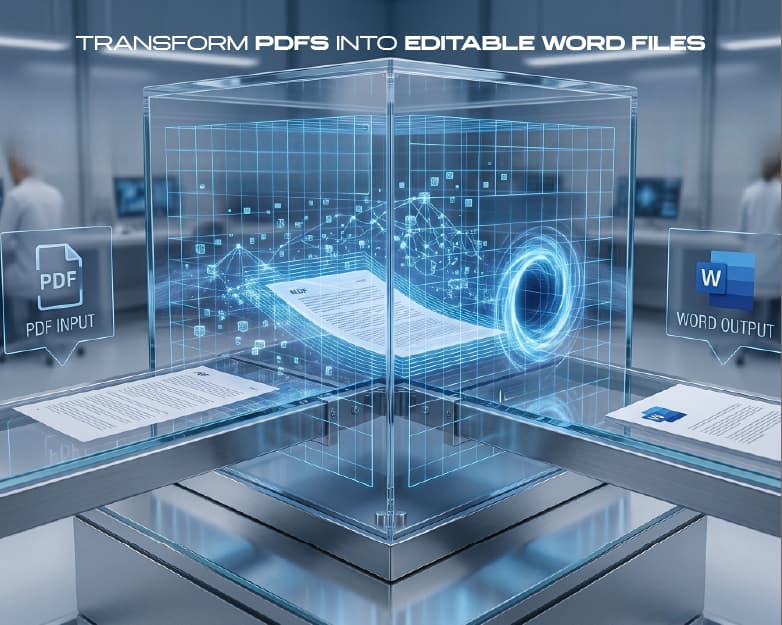
Text extraction can sometimes just be the beginning of the process - how far you go depends on what your final goal really is. In cases where you don't want plain text but want a Word document you can edit, the OCR-to-Word feature in Plainscan was made for that very reason - taking the original document or image and turning it into a structured, fully editable Word document rather than having to paste text into a new document and then format it yourself. This is a distinctly different problem from text extraction: text extraction provides you with the text, while OCR-to-Word tries to preserve the original document's structure along with the text.
If you need the extracted text in a spreadsheet - pulling numbers from a scanned invoice or table into rows and columns - that's a less standardized workflow than OCR-to-Word, since spreadsheet structure depends heavily on how cleanly the original table extracted (per the tables limitation above). For simple tables, copying the extracted text and pasting it into a spreadsheet application, then manually correcting column alignment, tends to be more reliable than expecting a fully automatic table-to-spreadsheet conversion, especially for tables with merged cells or irregular formatting.
Real-World Use Cases for OCR
- Students and academic researchers use OCR to scan handwriting or printed material from lectures notes, textbook snippets, and photocopied articles, making them searchable and copy-and-pasteable - effectively transforming an archive of images into a searchable material that can help one prepare for an exam.
- Legislators and compliance officers use OCR to scan contracts and old case files, making the documents searchable and allowing one to find a certain clause in several hundred pages of scanned, non-searchable materials.
- Small businesses digitizing paper records - old invoices, handwritten logs, printed forms - use OCR to convert years of filing-cabinet paperwork into searchable digital archives, often as part of a broader move away from physical storage.
- Anyone dealing with a document that can't be copy-pasted normally - a PDF that was scanned rather than generated digitally, a screenshot of a webpage with copy-protection, or a photo of a printed page someone sent over text - uses OCR as the practical workaround to get that text into an editable form without retyping it by hand.
- Multilingual households and businesses use OCR's language support to digitize documents in a regional language - a handwritten Marathi letter, a printed Bengali form, a Hindi contract - without needing separate tools per language.
How This Compares to Other OCR Options
Google Lens and similar phone-camera-based tools handle quick, casual text extraction well - pointing your camera at a sign or a page and getting a rough copy-paste result - but they're built for speed and convenience over batch processing or handling scanned PDF documents directly. Adobe's OCR features are typically bundled inside a broader paid PDF or Acrobat subscription, useful if you're already paying for that software for other reasons, but a heavier tool than necessary if OCR is the only thing you need. A dedicated browser-based OCR tool sits in between - purpose-built for text extraction specifically, handling both images and scanned PDFs, without requiring a phone camera in hand or a subscription to a much larger software suite.
Free vs. Paid: What Each Tier Actually Gets You
Plainscan's OCR tool requires a free account for basic use, with a daily allowance of 5 scans on the free tier - enough for occasional, everyday use like digitizing a handful of documents a week. The Pro tier removes that daily cap for anyone running OCR regularly enough to hit the free limit consistently, such as a business processing a steady stream of scanned paperwork. The underlying OCR accuracy is the same across both tiers; the difference is purely how many scans you can run per day.
Best Practices for Cleaner OCR Results
- Scan or photograph at the highest resolution reasonably available. As covered above, OCR accuracy depends heavily on image clarity, so starting from a sharp, high-resolution source consistently outperforms a compressed or low-quality one.
- Keep the page flat and evenly lit. Avoid photographing a document at an angle or with a shadow falling across part of the page - both introduce distortions that reduce accuracy, and both are avoidable with a few extra seconds of care when capturing the image.
- Review numbers and names specifically, not just the overall text. As covered in the common problems section, these are the errors most likely to slip past a casual skim but matter most if they're wrong - an invoice total or a person's name misread by OCR is a bigger practical problem than a misread word in the middle of a paragraph.
- Don't expect handwriting to perform like printed text. Setting realistic expectations for handwritten material - planning for more manual review time - avoids the frustration of assuming a handwriting scan will come out as cleanly as a typed document.
- Test a sample page before committing to a large multi-page batch. For big scanning projects - digitizing a full filing cabinet, a semester of notes, years of invoices - running OCR on a few representative pages first catches systemic issues (a consistently skewed scanner, a font that isn't recognizing well) before you've processed the entire batch.
A Brief History of Why OCR Got So Much Better
OCR isn't new - the underlying concept dates back decades, originally used for narrower tasks like reading typed forms in a single consistent font, or sorting mail by recognizing printed postal codes. Early OCR required near-perfect conditions: a specific font, consistent size, a clean scan, no skew. It broke down quickly outside those narrow conditions, which is why OCR had a reputation for years as unreliable outside of very controlled use cases.
This transition to the modern AI-powered OCR, which has been explained similarly for the task of background removal above, meant moving from the hard-coded pattern recognition process described above to training models using huge datasets of diverse real-world text samples, including all possible variations of fonts, orientation, illumination, languages, and even handwriting. This is why the modern OCR solutions perform much better even when analyzing a phone picture of an angled and poorly illuminated document than similar software would have performed just 10 years ago - this time, the machine learning model has already seen plenty of real-world examples.
Frequently Asked Questions
What does OCR stand for?
OCR – Optical Character Recognition refers to the process where characters in the picture are converted to readable text by a computer.
Is OCR text extraction free?
Yes, for everyday use. Plainscan's OCR tool has a free tier with a daily scan allowance, requiring a free account, with a Pro tier available for higher-volume, regular use.
Can OCR read handwriting?
That is true, but not at all as accurately as printed text, particularly for handwriting. Cursive handwriting is far harder to read than clean, spaced out block print.
Does OCR work on scanned PDFs, or only single images?
Both. A scanned PDF is processed page by page, the same underlying process as a single image, just repeated across however many pages the document has.
What languages does OCR support?
OCR software of Plainscan can read multiple languages, which include not only such popular languages as English and Spanish but also Indian languages, such as Hindi, Marathi and Bengali. The accuracy of recognizing can be affected by the number of available text data for a particular language.
Why does OCR misread some numbers or letters?
Certain characters look visually similar to each other - a capital O and the number zero, or a lowercase l and the number one - and lower image resolution or smaller font sizes make this confusion more likely. Reviewing extracted numbers specifically is worth the extra attention for anything where accuracy matters, like invoice totals or ID numbers.
Can I extract text from a screenshot?
Yes - screenshots generally OCR well, since they're typically high-contrast and free of physical scanning artifacts like folds or skew. Taking the screenshot at the highest available resolution improves results for small or dense text.
Does OCR preserve the original document's formatting?
Normal text extraction does not maintain any formatting. It just provides the text. In case if you require the formatting to be retained in the document, then the OCR process of converting the document into a Word document would suit your requirements.
Why did OCR struggle with a table in my document?
Tables are a genuinely harder case for OCR than flowing paragraph text, since the technology is built around natural reading order rather than grid structures. Simple, clearly-bordered tables tend to extract reasonably well; complex tables with merged cells often need manual correction afterward.
Are there any limitations to the number of pages I can scan using OCR?
The processing of multi-page scanned PDFs happens one page at a time, hence processing time is dependent on the number of pages. However, there are no actual limitations to document length as far as the maximum number of documents processed per day is concerned. It is recommended that you do a cross-verification for all the pages when dealing with large documents.
Do I need special scanning equipment for good OCR results?
No - a modern phone camera produces images clear enough for good OCR accuracy in most everyday cases, as long as the page is flat, well-lit, and photographed straight-on rather than at a sharp angle. A dedicated scanner helps for high-volume or archival work, but isn't a requirement for occasional use.
Can I use OCR to make an old scanned document searchable?
Yes - this is one of the most common practical uses of OCR. Running it on an existing image-only scan adds a text layer to the file, making it searchable and selectable without needing to re-scan or retype the original document.
Does OCR work equally well on all fonts?
No. Standard, common fonts recognize more reliably than highly decorative, stylized, or unusually spaced fonts. Very small font sizes also reduce accuracy regardless of the font itself, since there's less pixel detail for the model to work from.
Why does OCR need a free account when other Plainscan tools don't?
This varies by tool depending on how each one is set up - the OCR tool specifically requires a free account for basic use, while some other tools on the site (like merging or background removal) don't. It's worth checking each tool's specific requirement rather than assuming they're all identical.
Can OCR extract text from an image with text in multiple languages on the same page?
This is a harder case than single-language recognition, since the tool typically needs to correctly identify which script it's looking at, section by section. Documents mixing scripts (English headings with Hindi body text, for example) tend to have more variable accuracy than a document written entirely in one language, and are worth reviewing more carefully after extraction.
Can OCR handle a document with both printed and handwritten text on the same page?
Yes, but expect mixed accuracy - the printed portions will typically extract cleanly while handwritten sections need more careful review, per the handwriting limitations covered above. This is a common pattern with filled-out forms, where labels are printed and responses are handwritten.
Will OCR work if my scan is upside down or rotated?
Most modern OCRs can rotate images automatically and correct their orientation, but an image that is very rotated or inverted will still provide more difficulties than a normally oriented image. In case you can control how you scan or photograph the original document, it is possible to avoid using the auto-correction function at all.
Are there any distinctions between OCR and "text recognition" or "text detection"?
These notions can have the same meaning, but still it should be mentioned that there is a slight distinction between them. As opposed to "text detection," which implies searching for the text areas in the picture, "text recognition" ("OCR technology") presupposes recognizing the meaning of the text. Thus, OCR includes two processes – locating the text on the page and recognizing particular letters. Yet sometimes they can be done independently.
Conclusion
This software takes what is essentially inaccessible information, locked up in pictures and scans, and makes it fully searchable, copyable, and editable information. In 99% of all common scenarios (documents, screen captures, filled-in forms, scans from dozens of languages), a free online tool will do this instantly with 100% accuracy. And the few exceptions, which one needs to know about beforehand (handwriting, complex charts, poor scans) are not an excuse to not use OCR at all, but just a reason to spend a little extra time on editing. Plainscan's OCR tool handles text extraction directly, and pairs with OCR-to-Word if you need the result as an editable, formatted document rather than plain text - all without installing anything beyond a free account.
You may also like:How to Split a PDF Into Multiple Files (Free, Online, No Software)
Related insights
Get the Plainscan App for iOS & Android